
Innhold Show
I promised in part 1 that part 2 would be about the installation – what actually happens on my server, not what the README promises. That is exactly what this became. I threw everything I could at Hermes Agent for a full day, using the $20 Hermes subscription and DeepSeek R4 Flash as the model. Here is what happened – what worked almost disturbingly well, what grated, and what a full day of intensive use cost.
A little context if you did not read part 1: Hermes Agent is an open-source agent framework from Nous Research. It lives on your own server, connects to Telegram and more than 15 other messaging platforms, and writes its own skills over time. The theory is that it becomes more useful the more you use it. That was the theory. Here is the reality.
One thing to know going in: for this June 2026 test, I deliberately chose the $20-a-month Hermes subscription rather than the most technical route. That was not laziness – it was a methodological decision. I wanted to test the easiest possible way in, because that is the route most people will actually use. The technical alternatives exist, and I cover them, but my starting point was simple: what happens for an ordinary user?
What do you actually get for $20? More than you might think
The Hermes software itself is free. It is open source under the MIT license and anyone can download it. What the subscription pays for is Nous Portal – an important distinction to understand.
Nous Portal is more than a tool that makes Hermes easier to use. It is almost an ecosystem of its own. At the time of my test, it gave access to more than 300 models from the major providers: Anthropic Claude, OpenAI GPT, Google Gemini, Meta Llama, Mistral, DeepSeek, Qwen and Nous’s own Hermes models. You switched models with /model <name> – no API key and no separate account to configure for that particular model.
The subscription also routed the Tool Gateway for you: web search through Firecrawl, image generation through FAL, text-to-speech through OpenAI, a cloud browser through Browser Use, and code execution. One login, one bill, no extra API keys required. Subscribers who bought additional usage also received a 10 percent discount on token-billed providers.
I thought of it as something close to OpenRouter in a box – except the tools were included, not just model access. That was not bad for $20.
Which LLM should you connect? These were the options
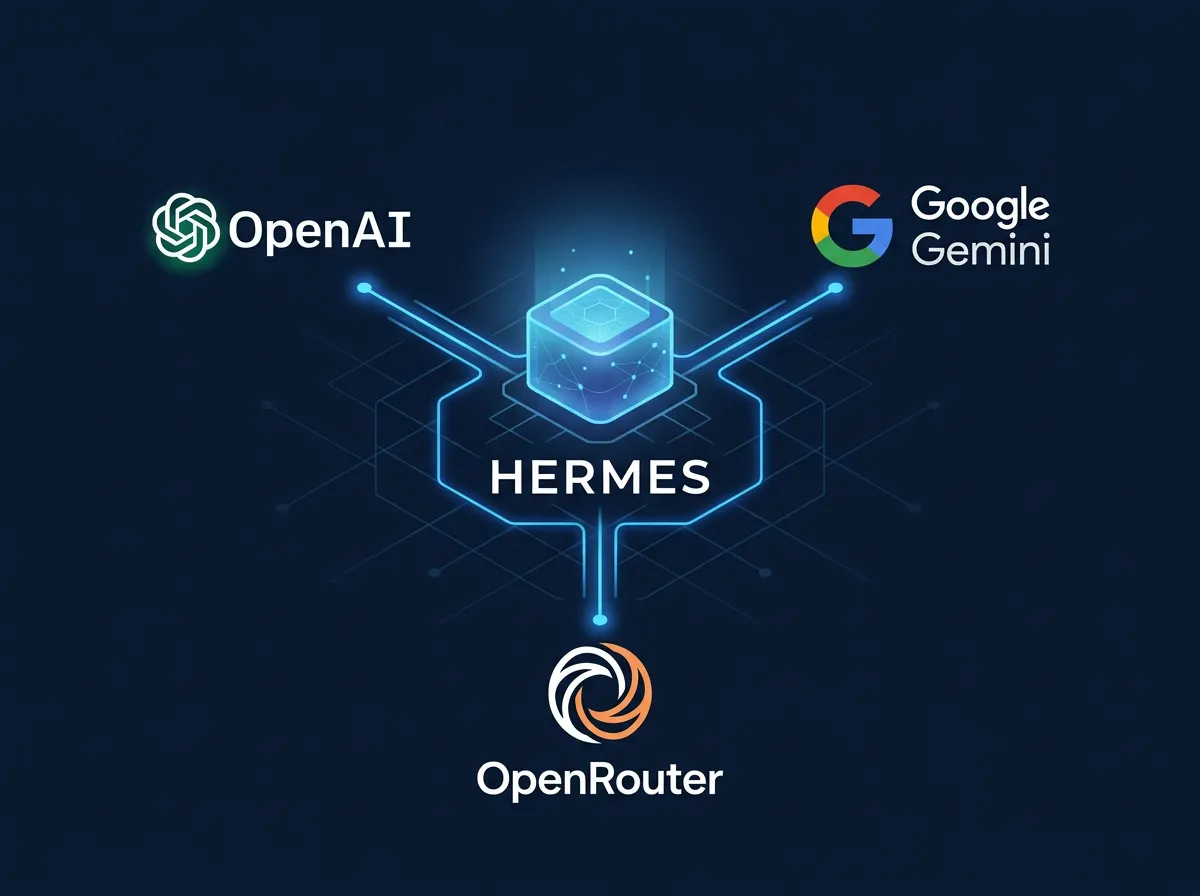
Hermes is model-agnostic, and that is one of its strengths. You are not locked in. Before starting, it is worth knowing which routes are available, because the barrier to entry and the cost differ considerably.
OpenAI OAuth. You log in with your OpenAI account and it just works. In practice, the $20 plan went a long way because Hermes cached tokens effectively, so usage was much lower than I expected. There was also a free tier for anyone who wanted to get a feel for it before committing.
Gemini OAuth. Google’s login worked in much the same way. The free and lower-cost tiers could take you a long way, and Gemini was strong with long documents and analysis.
OpenRouter. This is my real recommendation for anyone who wants to do serious work. You get access to more than 200 models through a single API key. To switch models, you run hermes model and choose from the list. OpenRouter is both the most affordable and the most flexible route – you can experiment until you find the right model for the job without tying yourself to one provider.
The $20 Hermes/Nous subscription. This is what I tested. It was Nous Research’s own subscription route, the easiest way in for most people, and that was the point. Setup was minimal, everything worked from the start, and for the first few weeks you did not have to think about API keys at all.
Whichever route you choose, my recommendation is to have an OpenRouter API key and a fal.ai API key ready as well. That opens the door to image, music and video generation – and much, much more – alongside access to more than 200 models from day one. It raises the ceiling of what the agent can do considerably, and you notice the difference quickly.
My first task: monitoring business email
The first test was simple and useful: I connected the business email account that receives inquiries from baugeit.no. I told Hermes to keep an eye on it and let me know when something arrived.
I gave it the hosting provider, the email address and the password. That was all.
It set up Telegram notifications for new baugeit.no inquiries and forwarding to Gmail. Both. By itself. I waited about a minute. I clicked no links, read no documentation and wrote no code. It just worked.
“Worked like a charm” is the precise description. This is the kind of thing that can easily take half an hour of Google Cloud Console, API keys and webhooks. Here, it took a minute.
It is worth pausing on that point. Hermes is not impressive because it does things that are technically impossible. It is impressive because it does things that are possible, but that usually require you to know how or care enough to do them. That requirement disappears.
Connecting coding models on the fly: OpenCode with Grok
Next, I asked whether it could set up OpenCode with Grok’s coding model, x-ai/grok-build-0.1.
It handled the job smoothly.
That is not revolutionary, but it illustrates something important: Hermes has a library of skills it can draw from, and the skill already exists for plenty of these technical setup jobs. You do not need to know that OpenCode exists, know Grok’s model ID or read the documentation. You describe what you want. It does the job.
LinkedIn automation – the strongest demonstration
After the email job, I told it plainly: “Grow my brand on LinkedIn.”
Notice that I did not say how. I said what I wanted.
Hermes suggested reading jansverre.net and turning articles from the site into LinkedIn posts. It set up what it needed, then asked me to complete a few approval steps – again, just a few URLs to click through. Then it was running.
It became more than one job. Within that single task, it demonstrated three things I had not explicitly requested:
A cron job that monitored jansverre.net on its own. It set up a scheduled script to fetch new content, evaluate it and post it without me being present. That was genuinely “set it and forget it.”
Prompt evolution. It initially invented something in a LinkedIn post – a small hallucination. Then it learned from the mistake. The next time, the problem was gone. That is self-correction in practice, not merely an error I had to fix by hand.
Live debugging. The script crashed. Hermes read its own code, found the fault and fixed it. I did not even know it had happened – it simply worked the next time.
One thing you need to know about the LinkedIn setup: you must have a LinkedIn business or company page to create a LinkedIn app and obtain OAuth access. That is a technical prerequisite, not a choice. But the posts did not go out on the company page. They were published to my existing personal LinkedIn profile, exactly where I wanted them.
For anyone who has followed this project: the linkedin_from_wp.py script that had been running here only sent suggestions through Telegram. It did not publish anything to LinkedIn itself. Hermes was the only system that actually posted. No risk of duplicate posts.
The self-learning loop in practice: one URL, one complete skill
This is the demonstration that impressed me most.
I gave Hermes a link to a single endpoint – the Grok Imagine Quality endpoint. No instructions. No explanation. Just the link.
It read the documentation, built a complete skill around that one endpoint, and delivered images. The whole thing took less than five minutes.
The important point is what this actually was: it was not RAG. It did not retrieve an answer from a pre-indexed corpus. It read new documentation, understood its structure, and built a reusable tool for itself. Real autonomous learning – not answer retrieval, but tool-building on the fly.
Give it an endpoint URL and get a finished skill. The principle applies regardless of what the link points to. Want it to make music? Point it at the Google Lyria endpoint. Want a new image model? Give it the API documentation. It does the rest.
That same day, it built image and video skills on its own while we were working on other things. Not because I asked it to, but because it needed them for work it was already doing. That was the self-learning loop from part 1 working as described in practice, not just in theory.
It researched and wrote an entire news story
Some of the strongest agents are the ones that can do real journalistic work – not just organize information you provide, but search for, evaluate and write about something current. I tested that with a local story that had appeared that day.
Hermes found what it needed, evaluated the sources and delivered usable copy. I was happy with the result. The article was scheduled for publication on lanorge.no – not here, because it had a different angle and belonged on a different site – but the point was that Hermes could retrieve, verify and write about a current local news story without me supplying the sources in advance.
That is real content production, not just running tools.
Image and video generation in chat was easy to set up
I had already been generating images and video through chat in Claude Code for a long time. That workflow – ask for it in the conversation and get the media back – worked brilliantly in Hermes too.
With a fal.ai key connected, the barrier was low. Hermes had the tools built in, and because it created image and video skills for itself as we went along, I could simply use them. For readers who already like generating media through chat, or who are curious about the workflow, this was a good reason to try Hermes: the same powerful way of working on your own server, at a fraction of the API cost of commercial services.
Telegram makes you use it all the time
There was one aspect of Hermes I had underestimated in part 1: the Telegram integration is not merely convenient – it changes how often you use the agent.
Hermes runs in the terminal, but you talk to it through Telegram. From the sofa. From bed. Without opening the computer. That means natural, low-friction requests – “keep an eye on that email while I eat dinner” or “post this to LinkedIn tonight” – actually happen. No other agent I knew did this as seamlessly.
The result is an agent you use throughout the day, not one you buy a subscription to and then open once a week. There is a huge difference between the two.
I noticed something else as well: Hermes picked up interrupted conversations flawlessly after several hours – after dinner or after another interruption. No prompt-caching delays, no “what were we doing again?” It resumed the thread as if it had never been away. That is the kind of UX quality you do not think about until you notice it missing elsewhere.
What did a full day of heavy use cost?
Here is the concrete answer to the question, “Is it worth it?”
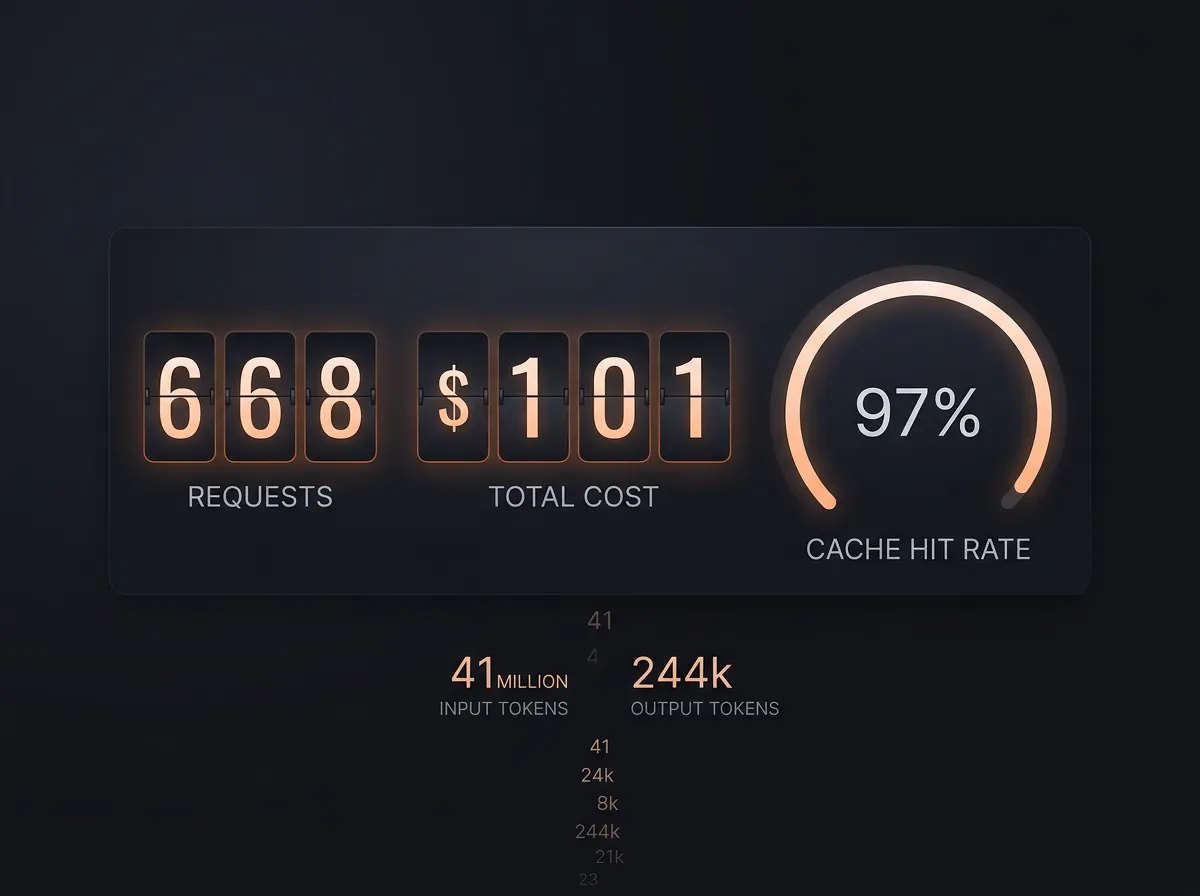
After a full day in which Hermes monitored email, posted to LinkedIn, researched stories, built its own skills, and generated images and video, this was the bill:
| Metric | Result |
|---|---|
| Total cost | $1.01 |
| Requests | 668 |
| Total input tokens | 41,121,213 (about 41 million) |
| Cached input tokens | 40,222,080 (about 40 million) |
| Cache hit rate | 97% |
| Output tokens | 244,058 |
The key number is the 97 percent cache hit rate. Almost all the input sent to the model came from cache instead of being processed again. That is why 41 million input tokens across 668 requests cost $1.01 rather than twenty times as much. Hermes and DeepSeek R4 Flash through the Nous subscription were a combination built for exactly this kind of use – frequent, repetitive calls where caching makes an enormous difference.
Most people assume that running AI all day is expensive. With the right setup, it is not. One dollar is not bargain-bin AI that barely works – it bought a full day of real, useful work.
Open source lets you see what it is doing
This is a shorter point, but an important one: Hermes is open source under the MIT license. You can read the code, understand exactly what it does with your data, and contribute if you find something you want to change.
That creates a different kind of trust from ChatGPT or another commercial service. Hermes itself runs on your machine, so you can inspect the agent and keep its local files under your control. The model and tool providers you connect can still receive the data required for their calls, so self-hosting Hermes is not the same as keeping every request offline. Many people will not care. For some, that distinction will be decisive.
It was platform-agnostic as well: Telegram, terminal, Discord and SMS. You could start wherever you felt comfortable and expand as needed. Nothing locked you in.
What did not work – three honest weaknesses
Part 2 would be useless without this.
AI can fill in the blanks for you – be careful. The LinkedIn prompt hallucinated a little at first. It invented details that were not true. As I mentioned, it corrected the problem itself, but that underlines a broader point: an agent is not a mechanical text repeater. It reasons and fills gaps. If your instructions are not precise enough, it may fill the gap with something you did not ask for. That is a general AI weakness, not one unique to Hermes – but clear instructions are your responsibility. It cannot read your mind.
The memory ceiling is real. I hit it in practice. We were talking about this and that, and I told it a little about myself. That was enough to reach the limit. Hermes said something along the lines of, “The memory capacity is full, but I remember it anyway.” That was an interesting distinction between hard-saved memory and what it was still carrying in the active context. But the 2,200-character user-profile limit filled up quickly in ordinary conversation, and housekeeping did not happen automatically. That part was my job. It is something you need to plan for.
The built-in TTS was not good enough for Norwegian. I tested the text-to-speech function and rejected it. The pronunciation sounded half Danish, and the workflow was too cumbersome in practice. There were better alternatives for Norwegian text. Hermes’s TTS was a reasonable fallback for English, but it was not something I wanted to use for Norwegian content.
Is Hermes Agent worth it?
Yes. With the right expectations.
The short answer is that you get an enormous amount in one package. You can use it as a normal chatbot – ask for recipes or talk through whatever you need. You can speak to Claude, OpenAI, DeepSeek, Grok or a small uncensored model, depending on the task. You can connect it to Facebook, LinkedIn, X, your websites and your email. And you can give it enormous jobs, such as sorting out a full year of AI-generation clutter, and it gets on with them.
The whole setup in one package. That was my verdict after a full day: you really only need this one.
It researches and learns from mistakes. It can write long-form copy, and if you ask it to edit its own work afterward, it does that too, so you do not end up with stray chatbot responses embedded in the final text. That is not a trivial ability. Norway had just seen a fresh example of the real risk: a football book went on sale with obvious chatbot responses left in the printed text. That is what happens when nobody asks the tool to check its own work.
Hermes is not a magical assistant that reads your thoughts. You need to give clear instructions, maintain its memory when it fills up, and check that scheduled jobs are doing what they should. Those are operational tasks. But compared with doing everything manually, or building separate automations in Zapier or a similar service, Hermes was faster, cheaper and more flexible.
$1.01 for an entire day. I did not expect that number.
If you want to try it, start with the Telegram integration and one concrete task – email notifications, newsletter writing or content posting. Do not try to configure everything at once. The self-learning loop needs time and repetition before it accumulates something genuinely useful. Give it that time. And have an OpenRouter key ready from the start – that is what gives you the model flexibility you will eventually want.
I also have separate guides to what AI agents can actually do and to control and security when agents work inside a business.
Frequently asked questions
Can Hermes Agent run on your own server?
Yes. Hermes Agent is an open-source framework that runs on your own machine or server. You can use it through the terminal and connect messaging services such as Telegram, while retaining direct access to the code and the system it runs on.
Do you need API keys to start using Hermes Agent?
Not necessarily. The Nous subscription was the simplest route in my test and handled model and tool access through one account. For more model choice and media tools, I recommend adding OpenRouter and fal.ai API keys when you are ready.
How cheap was Hermes Agent in heavy use?
My full-day test generated 668 requests, 41,121,213 input tokens and 244,058 output tokens for $1.01. The decisive factor was a 97 percent cache hit rate, so almost all input was served from cache instead of processed again.
What should you try first with Hermes Agent?
Start with Telegram and one concrete job, such as email alerts, newsletter writing or content posting. Give the self-learning loop time to build useful skills, keep the instructions precise, and check scheduled work rather than trying to automate everything on day one.