Innhold Show
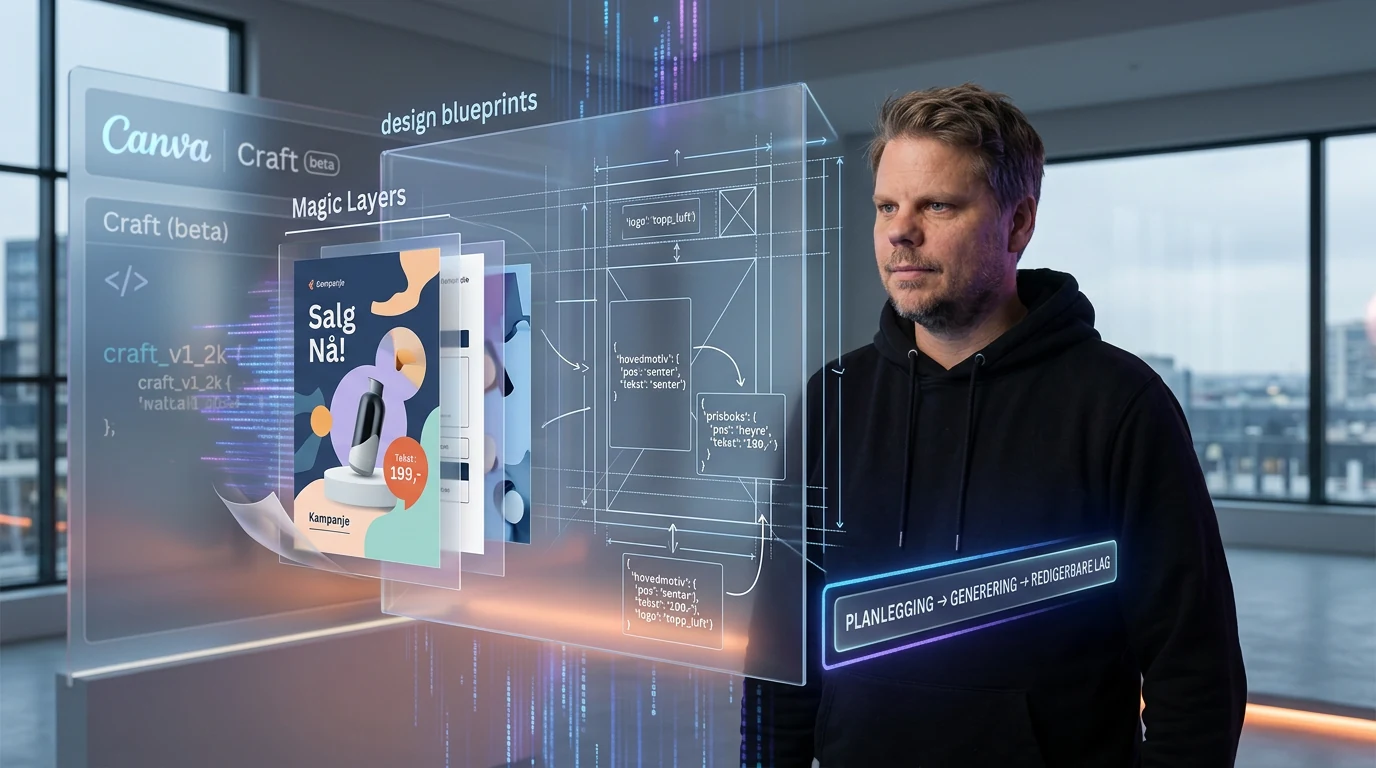
If you create posters, campaign graphics, or product images, Canva Craft is designed to do more than turn a prompt into a pretty picture. The model plans the composition before rendering it, produces images at up to 2K resolution, and can turn the result into editable elements inside Canva.
Craft is the first image model that Canva Research has built and trained from scratch. It is available globally through Dream Lab and through a public API, making it both a new option for ordinary Canva users and a model developers can integrate into their own services.
The link between generation and the work that follows is what makes Craft promising. A beautiful but flat image quickly becomes an annoying dead end when the product needs to move or the layout does not survive a new format. Canva is trying to make generation the beginning of the design job. That is far more useful than another model that gives you four fresh images whenever you need to change one detail.
What is Canva Craft?
Canva Craft is a proprietary image model built for design work. According to Canva’s official launch announcement, it can generate images at up to 2K resolution in more than 30 aspect ratios, including custom dimensions.
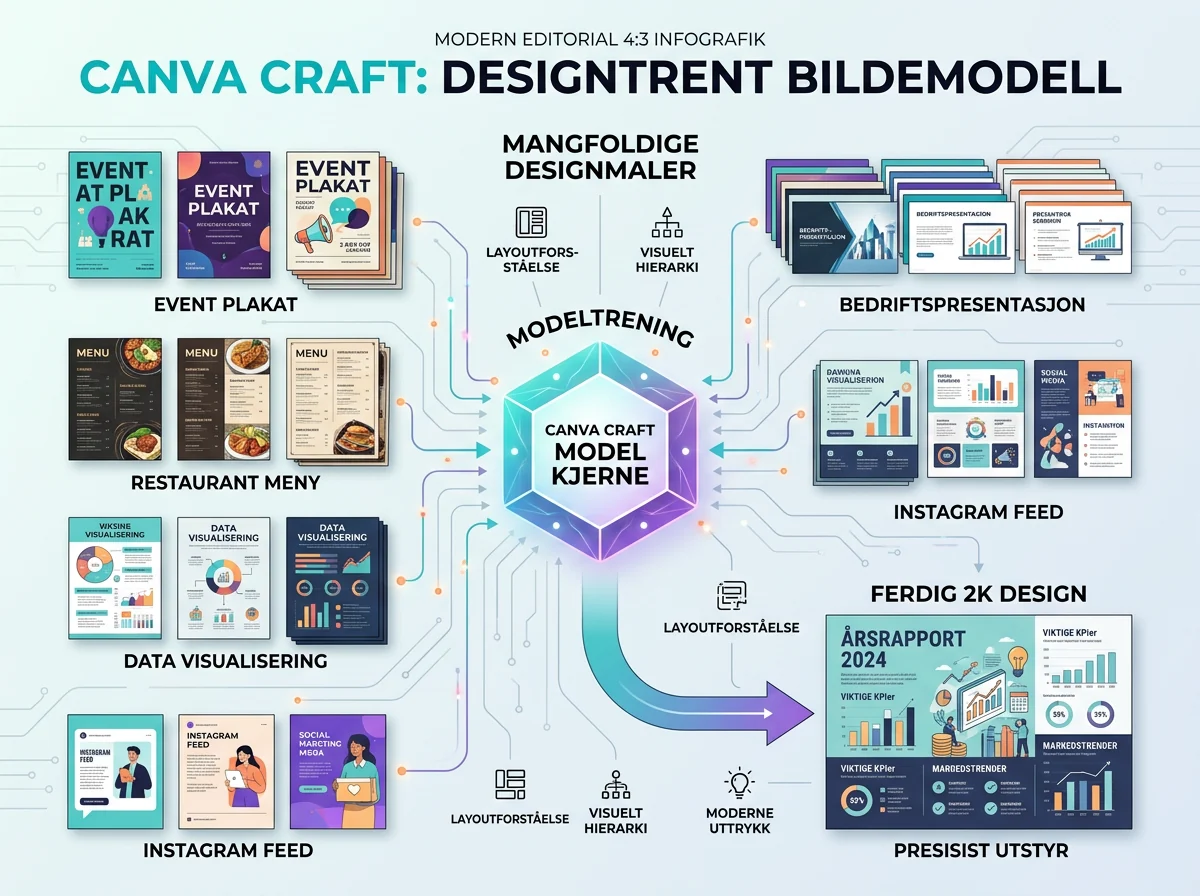
The training placed more emphasis on design than on photographs alone. Canva says the material included millions of human-made templates covering posters, presentations, infographics, menus, and social media graphics. The logic is wonderfully simple: If a model is supposed to understand layout, perhaps it should study more than a giant pile of finished photos.
Canva also says professional designers and dozens of researchers evaluated more than 25,000 image pairs during development. When automated metrics and the designers disagreed, the designers got the final say. That is the vendor’s account of the training process, not an independent evaluation, but the priority makes sense for a model intended for design work.
Craft is available to all Canva users through Dream Lab. The amount you can generate still depends on the AI quota attached to your account or subscription. Global availability does not mean unlimited free use, and Canva has not published a standalone per-image price for Craft.
Why does Craft plan the image first?
Craft divides generation into two stages. First, a planning model interprets the prompt and describes the elements, their positions, their relative sizes, and the visual hierarchy. A separate model then uses that plan to render the finished image. Canva has effectively placed a structured blueprint between your request and the pixels.
That intermediate step matters when one prompt contains several requirements. A campaign graphic might need a main subject, a price box, a product at the correct scale, and empty space reserved for a logo. A conventional image model can produce something attractive while still muddling the hierarchy. Craft tries to decide where the pieces belong before rendering begins.
Canva uses JSON-based bounding boxes to describe those elements. That structure helps Magic Layers split the result into separate layers that can be moved or changed. This is where Craft becomes genuinely useful for businesses: AI can produce the first draft, then a designer can make a targeted adjustment without pulling the generation lever all over again.
Planning costs time. Canva says in its developer announcement that a Craft job usually takes around 50-60 seconds from start to finish. That is hardly instant, but it could be a sensible trade if the result requires fewer reruns and becomes easier to edit afterward. The important measure is not how quickly the first pixels appear. It is how quickly the work becomes usable.
What do Magic Layers change in practice?
Magic Layers can convert a generated Craft image into separate, editable design elements. You can move, change, or remove one part of the composition without asking the model to recreate everything. That closes part of the gap between an image generator and an actual design tool.
This matters more than it may sound. Many AI images work well as inspiration and fall apart as soon as they meet a real workflow. The customer wants the product moved slightly to the left. A landscape campaign must become a tall mobile ad. An offer changes at the last minute without permission from the rest of the design to change with it. A stunning first image is not much help if every small revision sends you back to the prompt box.
Canva already controls the editor, the templates, and the design system around the model. Craft uses that position well: It is not merely adding an image generator to a design suite, but building a model around the editing workflow that comes next. That is a smarter direction than treating every generated image as a finished, untouchable rectangle.
It does not mean every result will be perfectly layered on the first attempt. Canva says improved support for fine detail work, technical drawings, and more advanced editing will come later. Magic Layers should therefore be judged as a working tool on your own material, not as a promise that one prompt will reliably produce a finished campaign.
How can developers use Canva Craft?
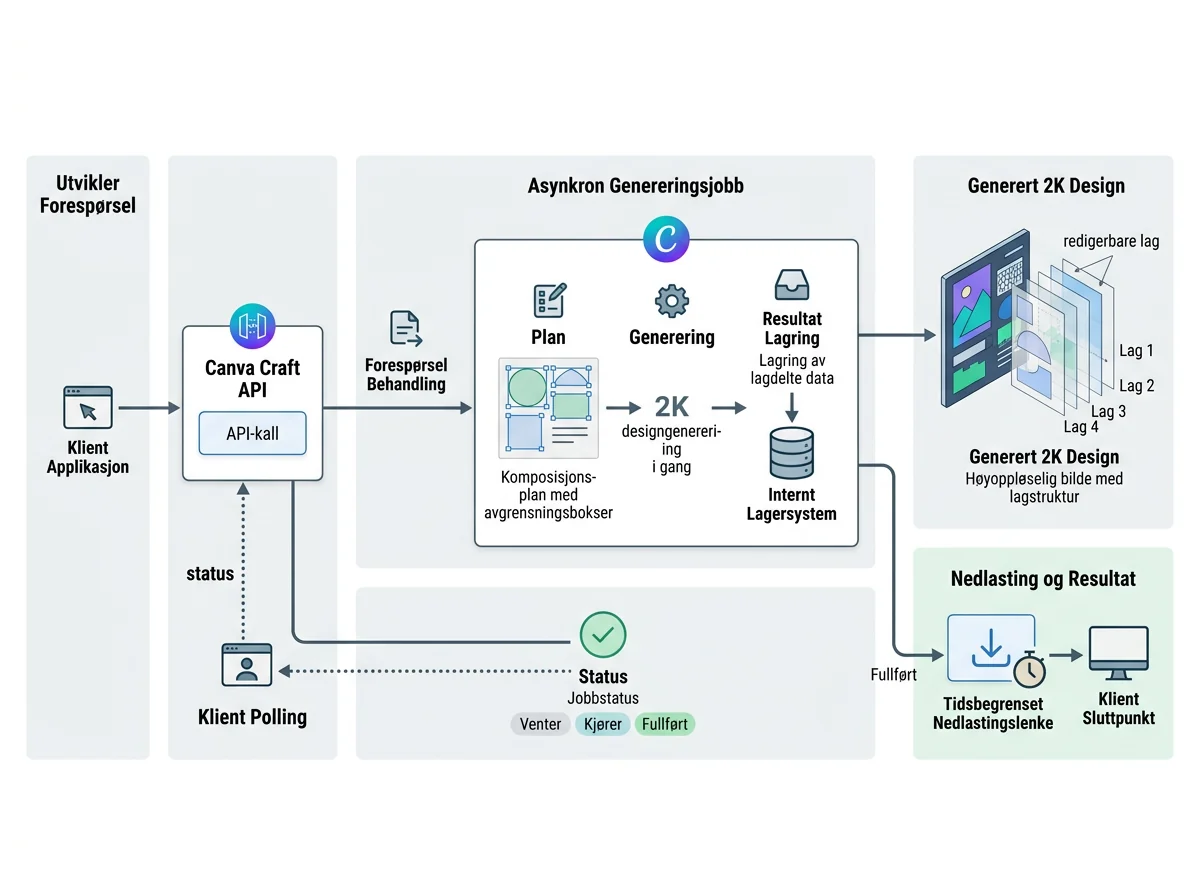
Developers can select Craft in Canva’s image generation API with the model value craft_v1_2k. A client starts an asynchronous job with POST /v1/image-generations, then checks the job status until generation is complete. Canva’s developer announcement provides a sample request and recommends polling with gradually increasing intervals.
The API requires a user token with the asset:write scope. A completed download link remains valid for 24 hours. If the image should remain in the user’s Canva account, the request can instead ask Canva to save it among the user’s uploads. Starting a job consumes the user’s AI quota.
There are a few operational details worth keeping. If Craft is temporarily unavailable and the request explicitly selects it, the job may fail with model_not_available. You can retry later or remove the model selection and allow Canva to choose another model. A request rejected by the content filters may return unsafe_input.
Canva labels the generation API as a preview. The official API documentation warns that incompatible changes may arrive without a new API version. Public apps that use these endpoints also cannot currently pass Canva’s review for general distribution. That makes the API useful for experiments and internal workflows, but a poor foundation to pretend has already set like concrete.
How does Craft compare with other image models?
Canva says Craft debuted in fourth place overall on DesignArena. It ranked first for people and portraits among 87 models and first for landscapes and nature among 85. Canva also reports second place for abstract images and patterns, and fourth place for product images.
Those are strong reported results, but rankings are snapshots. They tell us how a group of voters preferred selected outputs at a particular time. They do not tell us whether Craft follows your brand guidelines, survives 100 automated jobs, or shortens the path from first draft to approved campaign material. A leaderboard can point you toward a model. It cannot finish the job for you.
Canva says it serves more than 250 million users who create over 400 designs every second. To operate at that scale, the company used distillation to reduce the number of computation steps and built a custom inference engine for the planning stage. Canva claims Craft is now ten times faster than its first internal version.
Faster variants called Craft-fast and Craft-ultrafast are planned. Canva promises lower cost, but has not published a concrete price per Craft image. Do not build a budget around the word “cheaper” until there is an actual price list. A promised direction is not a number you can put into a spreadsheet.
Who should try Canva Craft now?
Canva users who create marketing materials, presentation graphics, product images, and social media content are the obvious audience. Craft is built for composed design tasks and lives inside Dream Lab, while Magic Layers provides a path into ordinary editing. If the rest of the job already happens in Canva, the barrier to trying it is low.
I would test Craft on one real deliverable with clear requirements, not on a vague request for a beautiful landscape. Specify the format, ask for several positioned elements, and describe the visual hierarchy you actually need. Then see whether the layers save time when you adapt the result. That test is worth more than a high position on somebody else’s leaderboard.
For developers, my advice is even simpler: Treat the API exactly as Canva describes it – a preview. Handle latency, quotas, expiring links, content-filter failures, and temporary model unavailability in the first prototype. Do not wait for a client job to fail before discovering that an asynchronous image task needs more care than an ordinary HTTP request.
Craft looks promising because Canva has connected the model to the difficult work that begins after the first generation. But this is a source-based report, not my own hands-on test. The real verdict will come when people use it on messy, specific design jobs – the kind where one small change always arrives five minutes before delivery.
Frequently asked questions
Is Canva Craft available worldwide?
Yes. Canva says Craft is available globally to all Canva users through Dream Lab. Actual use may still be limited by the AI quota included with your account or subscription, so worldwide availability does not mean unlimited free generation.
Can I access Canva Craft through an API?
Yes. Developers can select craft_v1_2k in Canva’s asynchronous image generation API. The endpoint requires a user token with the asset:write scope, consumes the user’s AI quota, and is currently labeled as a preview.
How long does Canva Craft take to generate an image?
Canva says a Craft API job typically takes around 50-60 seconds from start to finish. Because the model plans the composition before rendering, developers should poll the asynchronous job status with gradually increasing intervals.
Can I edit individual elements in a Canva Craft image?
Yes. Craft connects to Magic Layers, which can turn the generated image into separate design elements inside Canva. How well that separation works for your material should be judged on a real deliverable, not only on Canva’s selected examples.