Innhold Show
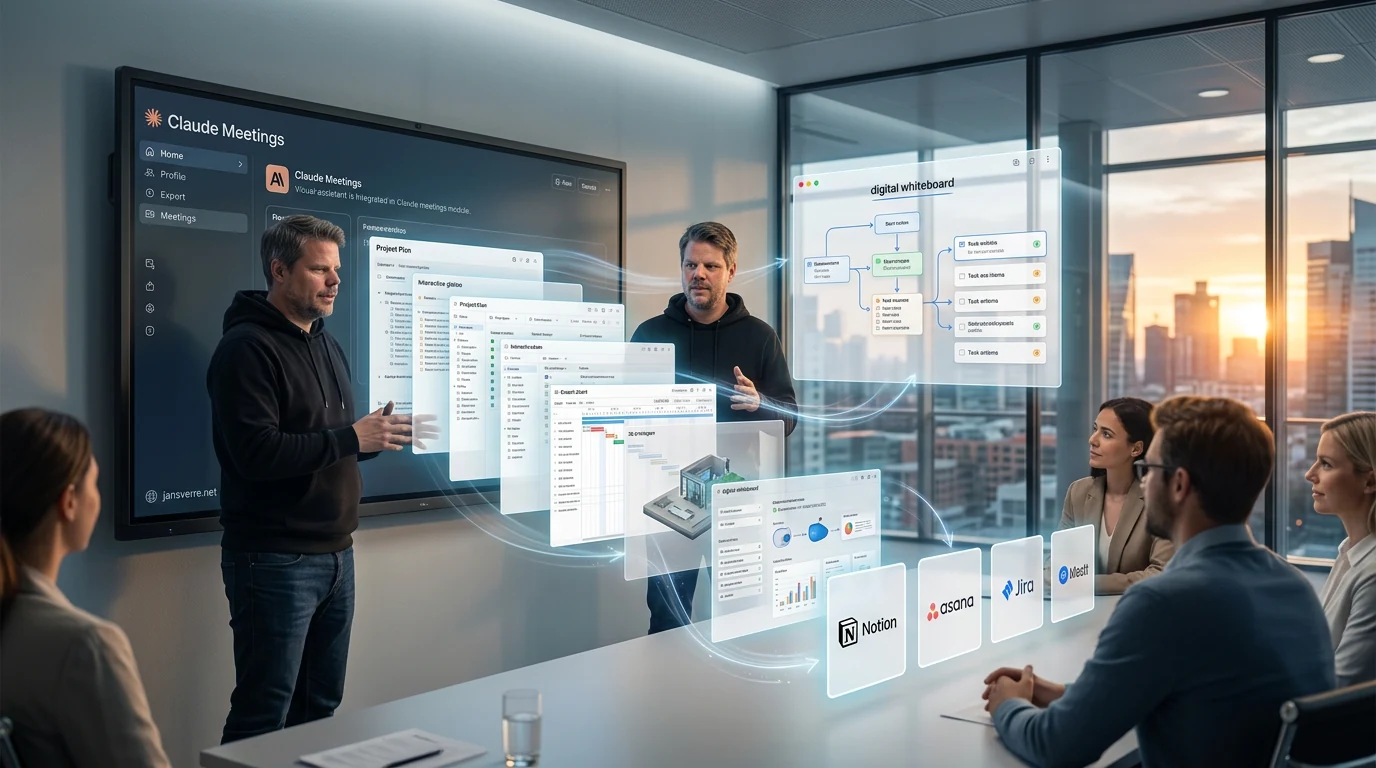
Claude Meetings is designed to join Google Meet as a visible participant and start building plans, timelines and tasks while people are still talking.
That is a much more useful goal than producing yet another automated meeting summary. Notes are easy enough to generate. The real work usually starts afterward, when someone has to sort them out, identify the decisions, assign the tasks and move everything into the documents and systems where the work will actually happen.
Anthropic wants to shorten that journey. Claude can follow the conversation, answer questions in the meeting chat, retrieve information from connected work tools and begin creating the deliverables before anyone hangs up. That could be genuinely useful for small and midsize businesses, but only if access, accountability and human review are treated as part of the product – not as tedious cleanup for later.
What is Claude Meetings?
Claude Meetings is a meeting assistant that joins a video call as a visible participant. Anthropic announced the feature on November 10, 2026, while Norwegian technology publication Shifter covered it the following day. TechCrunch and Shifter describe it as a beta for Team and Enterprise customers using Google Meet. Anthropic’s own article still says Meetings is coming soon, which suggests a gradual rollout rather than universal availability.
During the meeting, Claude is meant to take notes, answer questions in the chat and use information from connected services. If a team is discussing a launch, for example, the assistant could begin drafting the project plan or laying out a timeline on a digital whiteboard. After the call, the notes, tasks and material Claude created remain available in claude.ai.
Claude is not supposed to lurk silently in the background. The assistant identifies itself as a participant and posts a notice in the meeting chat. According to TechCrunch’s account of the feature, it will not join meetings with external guests unless an administrator has allowed that, and it will leave if an external guest enters without the required approval.
The difference is what happens before the meeting ends
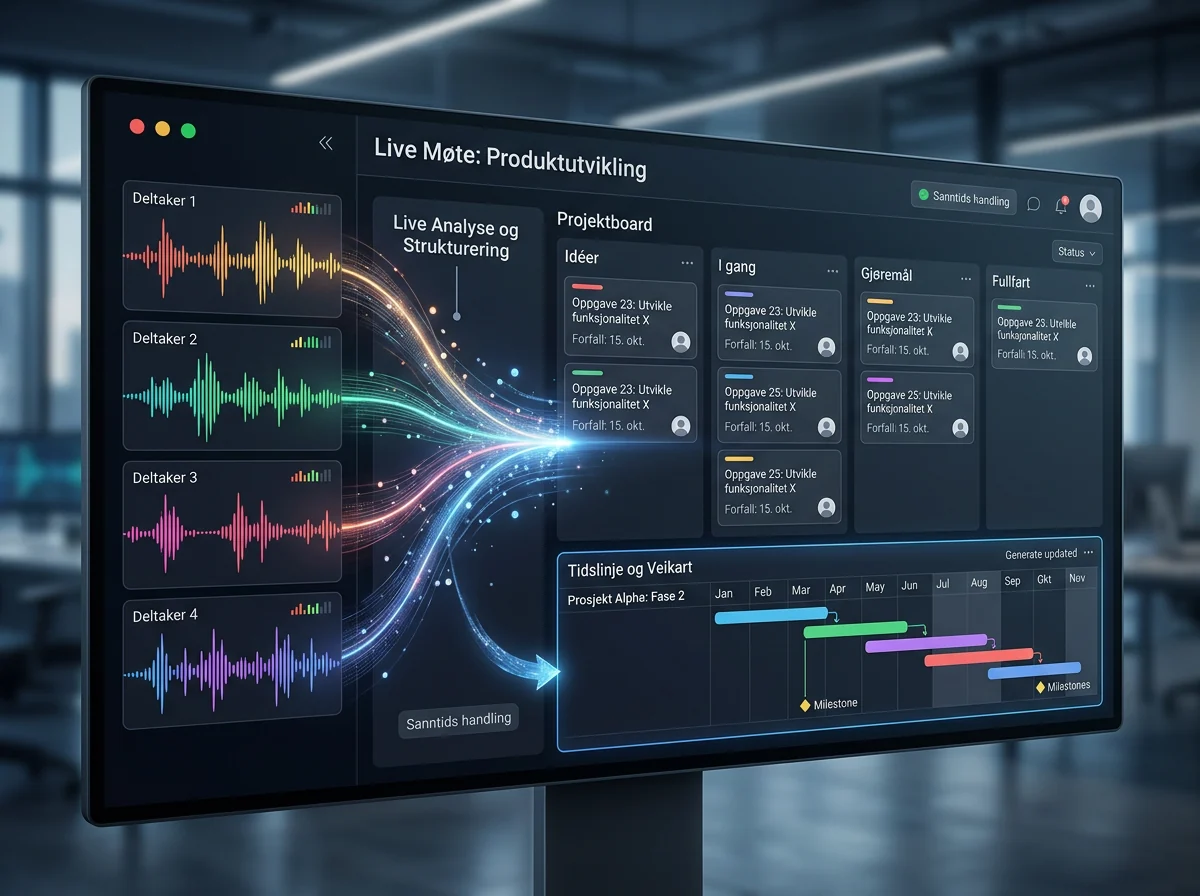
The important part of Claude Meetings is not the transcript. Bots that record calls, summarize discussions and extract action items already exist. Anthropic’s ambition is for Claude to use the conversation and begin working on the deliverable in real time.
That deliverable might be a simple timeline, a plan for the next phase or an answer based on last year’s figures from a connected system. While the discussion is still underway, the people in the room can see what Claude is building, catch misunderstandings and correct the direction. Some of the quality control can happen while the people with the relevant knowledge are still together, instead of leaving one poor soul to interpret the notes the next morning.
This is the direction Anthropic is taking: Claude is becoming part of the workspace itself, not a separate chatbot you visit after the work has already been defined. Whether it genuinely saves time for a particular business still has to be proven inside that business’s own workflow.
Meetings is part of a broader office push
Claude Meetings arrives alongside Claude Sheets, Claude Whiteboards, Claude Data and upgraded interactive connectors. The combination matters. A meeting assistant with nowhere useful to put its output quickly becomes little more than a prettier transcript machine.
Claude Whiteboards is a shared digital canvas where people and Claude can organize ideas, design workflows and build timelines. According to Anthropic’s Whiteboards documentation, people can work with Claude on the canvas and turn the result into a document or presentation. Whiteboards is in beta for Pro, Max, Ultra, Team and Enterprise plans.
Claude Sheets lets a team and Claude build spreadsheets with multiple tabs, formulas, formatting and dropdown menus. Claude Data, previously called Dashboards, connects to systems such as Snowflake and Salesforce to create dashboards and data narratives. Interactive connectors can also open applications from companies including Adobe, Atlassian and HubSpot directly inside Claude.
Anthropic says its marketplace now contains more than 9,000 connectors and plugins, including community-built options. That is an impressive number, but the number by itself says very little about quality. A company needs to know whether the handful of systems it actually uses offer precise permissions, reliable data access and a workflow that is genuinely better than doing the job manually.
The competition among Anthropic, Microsoft, Google and OpenAI is no longer just about which company has the strongest model. It is increasingly about where a business starts its workday, which systems the assistant can reach and where the resulting information ends up.
Who can access Claude Meetings?
TechCrunch and Shifter describe Claude Meetings as a beta for Team and Enterprise customers using Google Meet. Microsoft Teams and Zoom are not listed as supported platforms yet. Shifter says more meeting platforms are planned, but no release date has been given.
The sources do not line up perfectly on availability. Anthropic’s own product announcement from November 10 still says Claude Meetings is coming soon. The sensible approach is to check the organization’s actual account and administrator settings instead of assuming that an announced feature has already appeared for everyone.
Whiteboards and Sheets have broader availability than Meetings. Both workspaces are in beta on paid plans across the web, desktop and mobile apps. That does not mean a Pro or Max subscriber can automatically invite Claude into Google Meet. Meeting participation is a separate feature with its own eligibility and controls.
The checked sources also do not document how well Claude Meetings handles Norwegian speech. Support for written Norwegian, or the performance of a different Claude feature, would not prove that Meetings can separate Norwegian speakers, understand dialects, cope with background noise or follow interruptions. That remains unknown. I am not going to pretend that a polished English-language product demonstration answers it.
Access controls matter more than the polished demo
An assistant that only hears the meeting can create notes. An assistant that retrieves figures, updates documents and starts tasks needs access to business systems. That is where the value increases – and where mistakes become more consequential.
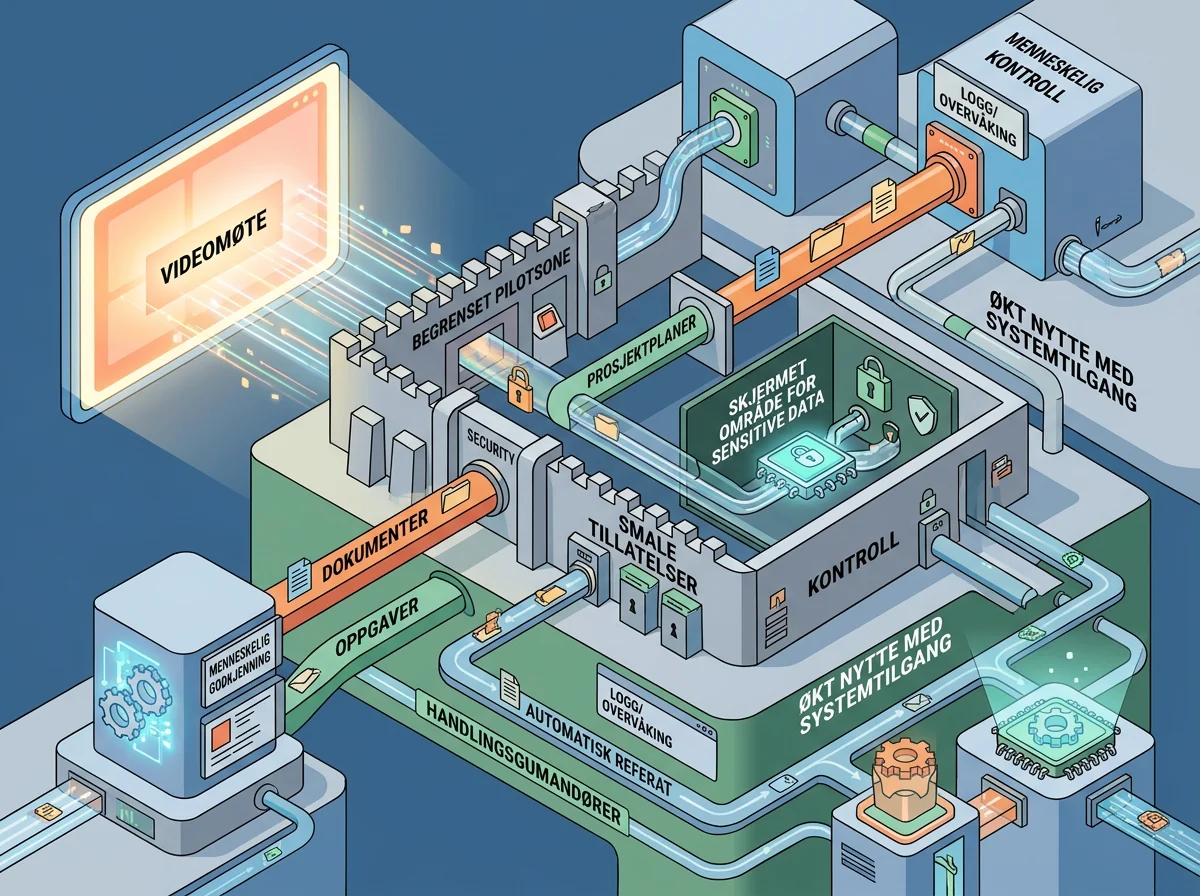
Anthropic says Claude works within a user’s existing permissions. Enterprise administrators can choose which products and connectors employees may use, limit what each connector can do and set usage limits. A connector could, for example, be allowed to read Slack without being allowed to send messages. Anthropic also says Enterprise data is encrypted in transit and at rest, and that its Compliance API can connect to more than 100 security and compliance tools.
Those controls are necessary, but they do not replace a careful rollout. Existing permissions are not always good permissions. If an employee already has access to far too many folders, an AI assistant can make that old mistake much more efficient. And if Claude creates an action plan from the wrong figures or mishears a spoken decision, the people in the room still own the result.
I would start with internal meetings, a narrow set of connectors and tasks that are easy to verify. Let Claude draft the plan and action list before it is allowed to update important systems. Check who can invite the assistant, what happens when outside guests arrive and where the meeting content is stored. That is less spectacular than a demo, but far more useful.
This can save time – if the meetings are good enough
The obvious benefit is less work between conversation and action. If Claude can turn a 60-minute meeting into an organized plan before the participants leave, someone may avoid spending the next hour reconstructing what everyone meant. That could be valuable in projects with many dependencies spread across several systems.
But Claude cannot repair a meeting that has no goal, decisions or accountability. An AI assistant can organize confusion beautifully and still produce a bad plan. It can also make it easier to generate more meeting-related work than the company needs. Faster follow-up is only a benefit when the follow-up itself is right.
The practical test is not how impressive the whiteboard looks. It is whether the team ends the meeting with fewer unanswered questions, clearer ownership and less manual follow-up – without incorrect tasks, excessive permissions or sensitive information slipping through review.
I like this direction. Doing the work while the conversation is happening is far more useful than giving people another summary they will never read. But Claude Meetings should prove its value in a limited pilot before it is invited into everything from HR discussions to customer calls. Start small, measure the time it actually saves and keep a person responsible for approving the result. Then this could become a real workflow – not just another bot in the meeting room.
Frequently asked questions
Can Claude Meetings be used with Microsoft Teams or Zoom?
Not yet, based on the checked sources. Google Meet is the only platform currently named. More meeting platforms are planned, but no date has been announced for Microsoft Teams or Zoom. Anthropic also describes Meetings as coming soon, so organizations should check their actual account access.
Is Claude Meetings just a transcription bot?
No. It is designed to take notes, answer questions in the meeting chat, retrieve information from connected work tools and begin creating plans, timelines and other work products during the call. Its real-world performance still needs to be assessed during the beta.
Does Claude Meetings understand Norwegian speech and dialects?
The checked sources do not provide evidence for that. General support for written Norwegian does not demonstrate speaker separation, dialect comprehension, noise handling or interruption management inside Claude Meetings. Those capabilities remain untested in the documentation used for this article.
Should a small business enable Claude Meetings for every call?
No. Start with a limited pilot in internal meetings. Restrict the connectors, review storage and guest rules, and require a person to approve plans and system changes. Measure whether the feature actually reduces follow-up work before expanding its access.