Innhold Show
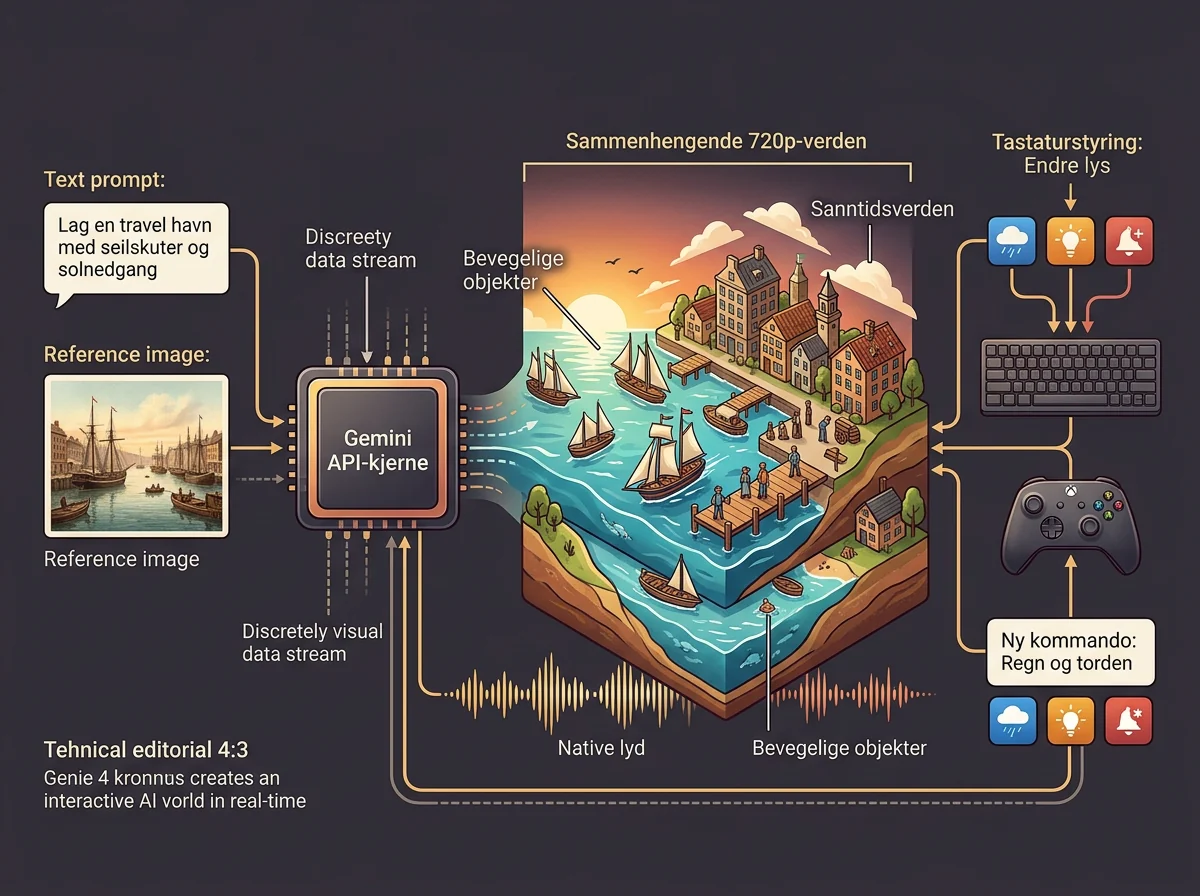
Genie 4 is now available through the Gemini API and Google AI Studio, giving developers their first chance to build products with Google’s interactive AI worlds. The model streams continuous worlds at 720p and 24 frames per second, generates synchronized audio and lets people steer with a keyboard or change the world with live text prompts.
This is the moment when an impressive research demo starts looking like a platform. A world you can visit inside Google’s own service is entertaining. A model that can be connected to apps, game prototypes, design tools and training environments through an API can become raw material for entirely new products.
I like APIs precisely because they move power away from a vendor’s finished interface and toward people who want to build something themselves. Genie 4 is still early, expensive to run continuously and limited to short sessions. Even so, developer access is a real milestone. Now we get to find out whether world models can become useful tools rather than spectacular clips in a launch presentation.
What do developers get access to?
Genie 4 can begin with a text prompt, a reference image or both, then generate an interactive 720p world at 24 frames per second. Google opened the model in the Gemini API and AI Studio on November 19, 2026, through the Interactions API.
People can move with WASD or the arrow keys. At the same time, a text prompt can change the weather, lighting, objects or events while the world keeps running. The model also creates native audio in step with the scene, including ambience, sound effects, music and dialogue. That is an important distinction from an ordinary video generator: the result is not merely a finished clip to watch, but an environment that responds while you explore it.
Models from the Gemini family provide the reasoning intended to preserve state, coherence and continuity. That does not mean Google has solved physics or long-term memory in virtual worlds. It means the company is trying to bind generation and control together in one continuous simulation instead of producing a sequence of disconnected video fragments.
Why the Gemini API is the real milestone
The Gemini API turns Genie 4 into a building block that developers can put inside their own workflows. Google points to prototypes for interactive experiences, spatial design visualization and training environments for robots and AI agents. Those are three very different markets, but all need the same basic capability: create an environment, influence it and observe what happens.
For games and filmmaking, the obvious use is rapid exploration of ideas. A designer can begin with an image of an environment, move into it and change its mood or contents through text. That is not the same as delivering a finished game level with reliable physics, fixed rules and handcrafted detail. As a prototyping tool, however, it could dramatically shorten the distance between an idea and something people can actually walk through.
For robots and AI agents, the opportunity is longer-term. A world model could give a system many virtual situations to practice in without smashing a real robot or stopping a factory. Google describes world simulation as a step toward AGI and highlights safe training environments for robots and agents. That is Google’s ambition, not proof that Genie 4 is already an accurate simulator of reality.
The distinction matters. The model generates a convincing world that people can steer, but a visually credible scene is not automatically physically correct. If a robot is going to train in that environment, the developer needs to know which properties are stable enough to trust. This is where experience, measurement and boring quality control arrive. They always do, even when the demo looks like magic.
How does Genie 4 stream a world?
Browser applications can receive the stream over WebRTC, while server-side applications can use WebSocket. According to TestingCatalog’s review of the developer documentation, clients can use a temporary token for a single session, keeping the main Gemini API key out of the browser.
That is a sensible architecture for real-time use. WebRTC is built for low-latency media streams, while WebSocket gives server code a persistent two-way connection. The application creates a session, sends the initial world configuration and then lets keyboard input and text messages affect the simulation as it runs. The documentation also warns that closing the browser tab is not enough: the session must be ended with complete() or cancel() to stop generation and billing.
Keyboard movement is expected to respond in roughly half a second, while live text prompts take about one to two seconds. Each session is capped at 120 seconds, with serving from data centers in the United States, Western Europe and Japan. Two minutes is enough for a prototype, interactive presentation or tightly defined training situation. It is not enough for a long, continuous play session.
Every output carries an imperceptible SynthID watermark. Google also says inputs and outputs are safety-checked. Developers therefore need to treat the model’s technical and content limits as product constraints from day one, especially when users can enter unrestricted prompts in the middle of a session.
What does Genie 4 cost?
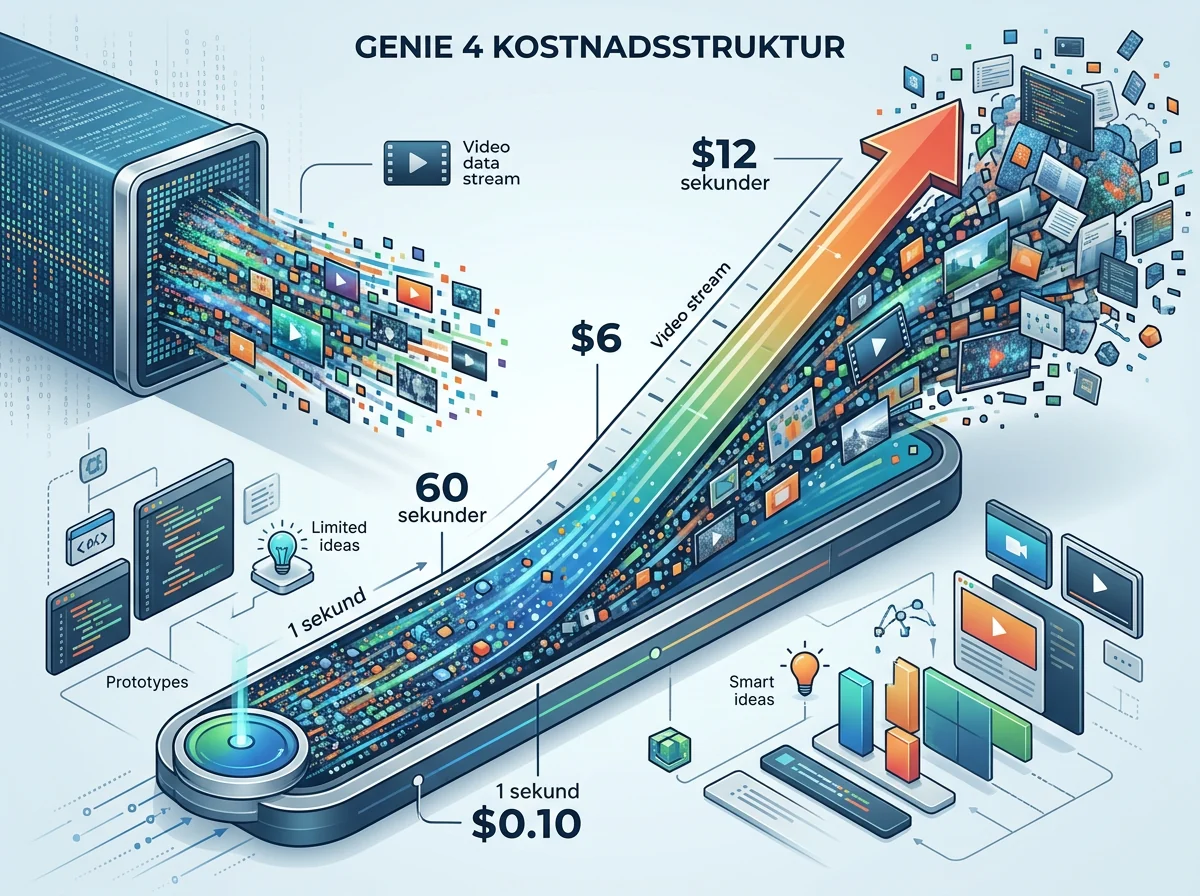
Genie 4 requires a paid-tier Gemini API account and costs roughly $0.10 per second for streamed video with stereo audio. A full 120-second session therefore costs about $12. Ten maximum-length experiments can reach $120 surprisingly quickly. The price is manageable for focused prototyping, but it does not invite developers to let users wander around without limits while the meter keeps running.
The published token rates are $1.50 per million input tokens, $9 per million text output tokens and $17.50 per million video output tokens. Video is the big expense. Early experiments should therefore use short sessions, clear goals and hard spending limits. Otherwise, a delightful sandbox can become a remarkably efficient machine for turning dollars into pixel dust.
Cost control is not only about setting a budget in a dashboard. Applications should close sessions explicitly, cap how long a user can stay connected and decide which experiments actually need the full 120 seconds. At $0.10 per second, architectural sloppiness has a visible price attached to it.
This is still an early world model
Google’s documentation describes Genie 4 as using a rolling visual context rather than a persistent 3D scene. Objects can move or disappear after the camera looks away, and visual stability can weaken after 60 to 90 seconds. Every session has a hard 120-second limit. Genie 4 is not a replacement for Unreal Engine, Unity or the rule system inside a dependable simulator.
A traditional game engine knows which rules apply and can reproduce them. A generative world model attempts to create the next part of the experience from what it has seen, what the user does and the instructions it receives. That provides flexibility that handcrafted environments do not have, but it also creates uncertainty. A door that existed ten seconds ago should preferably still be there when you turn around. “Preferably” is not good enough for every product.
When Genie 4 was first presented, real-time control and native audio were the headline advances. The question now is what developers can build once they have the model in their hands. I would begin with uses that tolerate variation: concept development, creative prototypes, short experiences and tightly bounded training scenarios. Products requiring millimeter precision, long sessions or completely predictable physics should wait for documentation, direct measurements and later generations.
There is no reason to pretend the technology is finished just because an API exists. Developer access is the beginning of the practical test. Now come the bug reports, cost measurements and strange ideas nobody inside Google considered. That is exactly why this opening is exciting.
From generated video to software that can respond
Genie 4 points toward generated video becoming less like a file and more like an interface. When image, sound and action are produced together, software can answer with an entire world rather than a text box or fixed animation. That could change how people create training, visualization, entertainment and environments for agents.
It will not happen overnight. Price, duration, latency and stability impose obvious limits today. But 720p at 24 frames per second, with continuous audio and live control, is concrete enough for developers to do more than debate the potential. They can connect the model to an application and find out where it holds together – and where it falls apart.
Here is my verdict: Genie 4 in the Gemini API is a genuine milestone, not because everyone can suddenly create a finished game with one prompt, but because a world model can finally become part of software that other people build. Start narrow, measure the cost and never confuse beautiful images with reliable physics. But build. The interesting part starts now.
Frequently asked questions
Can anyone use Genie 4 for free through the Gemini API?
No. Genie 4 requires access to the paid tier of the Gemini API. The model costs roughly $0.10 per second with streamed video and stereo audio. Google AI Studio provides an interactive canvas and starter applications, but use of the model itself is not free.
How long can a Genie 4 world run?
A single session can run for up to 120 seconds. That is suitable for short prototypes, demonstrations and tightly bounded simulations, but not for long play sessions or persistent virtual worlds.
Can Genie 4 replace a conventional game engine?
Not today. Genie 4 can generate and alter interactive environments in real time, but it uses a rolling visual context in which objects may move or disappear. It is better suited to prototypes and experiences that can tolerate generative variation.
What can developers build with Genie 4?
Google highlights interactive prototypes, spatial visualization and training environments for robots and AI agents. Creative experiences, game concepts and rapid design experiments are natural starting points, while safety-critical simulation requires much stronger documentation and testing.