Innhold Show
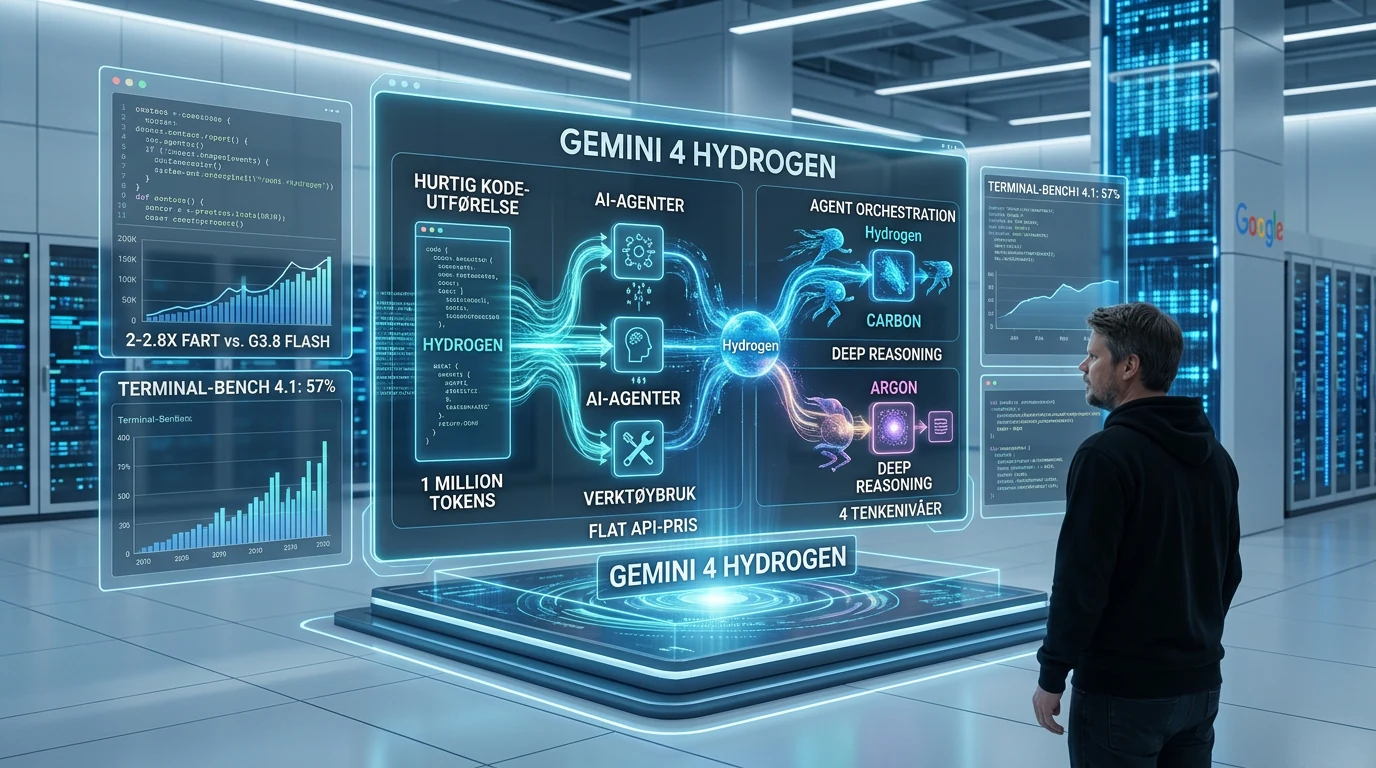
Gemini 4 Hydrogen is Google’s fast workhorse for coding, tool use and AI agents. It is built to execute high-volume work efficiently, while Gemini 4 Carbon and Argon remain the models for the hardest problems that require deep, long-horizon reasoning.
The practical point is its reach. Hydrogen is rolling out across the Gemini app, Search, AI Studio, the Gemini API, enterprise products and Google Antigravity. For developers, the headline features are a 1 million-token input window, output that can extend to 1 million tokens through background long decode, and a flat API price across the full context window.
Google naturally presents a long list of attractive benchmark results. They are useful, but the role assigned to this model matters more. Hydrogen is the workhorse of the Gemini 4 family – fast enough for everyday use, affordable enough for repeated agent calls and capable enough to handle much more than simple Flash-class tasks.
What is Gemini 4 Hydrogen?
Gemini 4 Hydrogen is a Gemini 4 model that Google launched on November 12, 2026 for rapid execution across coding, agent and knowledge-work tasks. According to Google’s Gemini 4 Hydrogen announcement, the model began rolling out globally across developer, enterprise and consumer services on launch day.
The Gemini 4 family now has a clear division of labor. Carbon and Argon are the frontier models for difficult reasoning and long-running problems. Hydrogen is designed for faster execution: writing and modifying code, running tests, searching large repositories, using tools and checking whether the requested work was actually completed.
That is a sensible direction. The best model for a difficult architectural decision does not have to be the best or cheapest model for the 40 smaller changes that follow. In an agent workflow, latency, token consumption and the number of successful tool calls can matter just as much as which model leads a reasoning benchmark.
Why Hydrogen fits AI agent workflows
Hydrogen is designed for workflows in which a model must complete many concrete steps without losing direction. Google highlights coding, debugging, research, data analysis and navigation through large codebases. The model can batch file reads and searches in parallel instead of inspecting everything one file at a time.
In Google’s early partner tests, these workloads ran between 2 and 2.8 times faster than with Gemini 3.8 Flash while using 12% to 23% fewer tokens. Google also says Hydrogen completed tasks 2.5 times faster at the default high thinking level and raised its Terminal-Bench 4.1 result from 18.2% to 57%. These are Google’s comparisons, not my test.
The most useful improvement may be less dramatic than any leaderboard number. Google says Hydrogen makes focused code changes without rewriting unrelated files, and adapts when a tool call fails or a search returns nothing. Those are exactly the behaviors that determine whether a coding agent saves time or simply creates more work with great confidence.
Google is letting the models divide the work
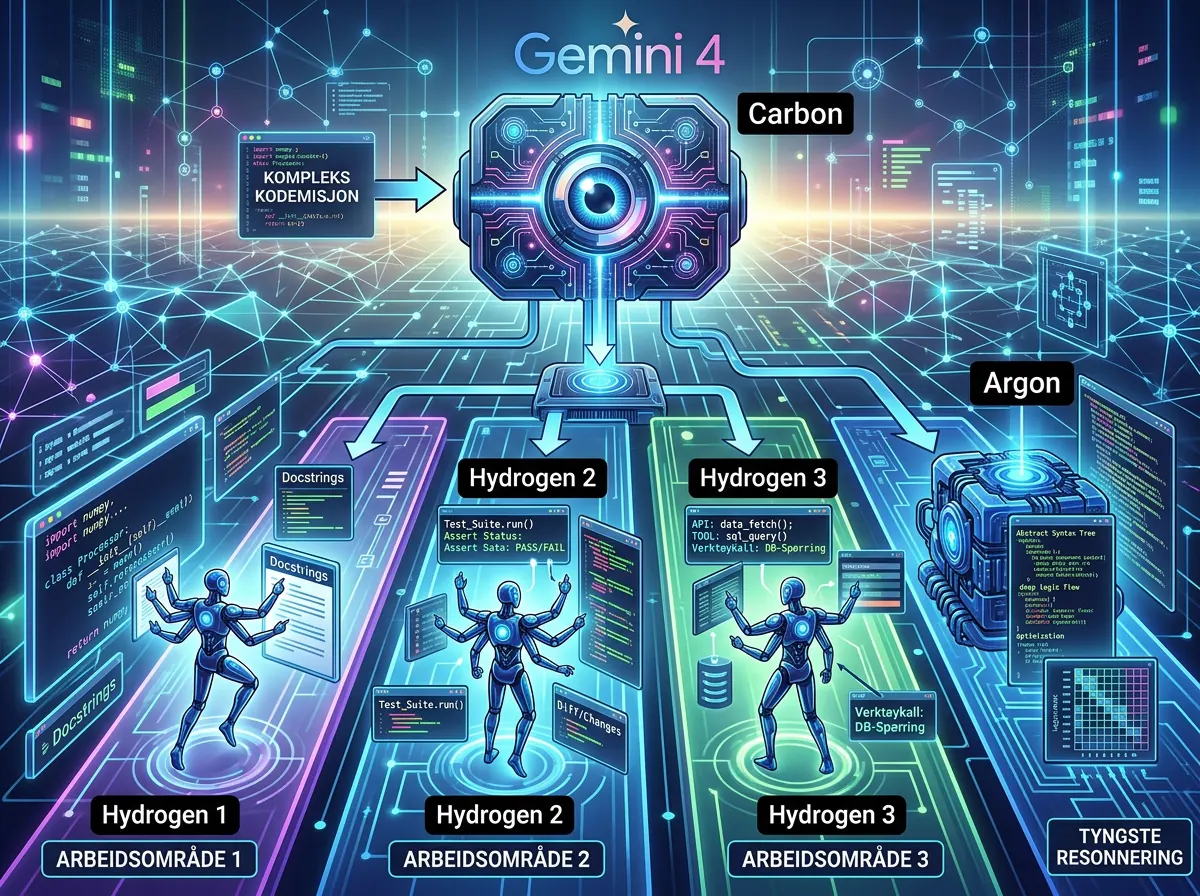
Hydrogen can work on its own, but Google has also built it to collaborate with the heavier models. Carbon can plan a large task and distribute the pieces, while several Hydrogen agents write code, run tests and verify results in parallel, isolated workspaces.
Google Antigravity is getting an Orchestrator that can switch models during the same session. In Google’s Terminal-Bench 4.0 evaluation, the combination came close to Carbon’s task success rate while consuming 24% less quota on average and finishing 19% faster. The idea is simple: Do not use the most expensive hammer on every nail.
I use agents every day, so the planner-worker-verifier pattern itself is not new to me. What matters is whether Hydrogen actually makes execution faster and cheaper without losing the gains to orchestration, checking and retries. Use strong reasoning where a bad decision is expensive, and a faster model where the work can be divided and verified. An orchestrator that chooses the wrong model, or spends more time delegating than working, is just another decorative layer.
How much does Gemini 4 Hydrogen cost?
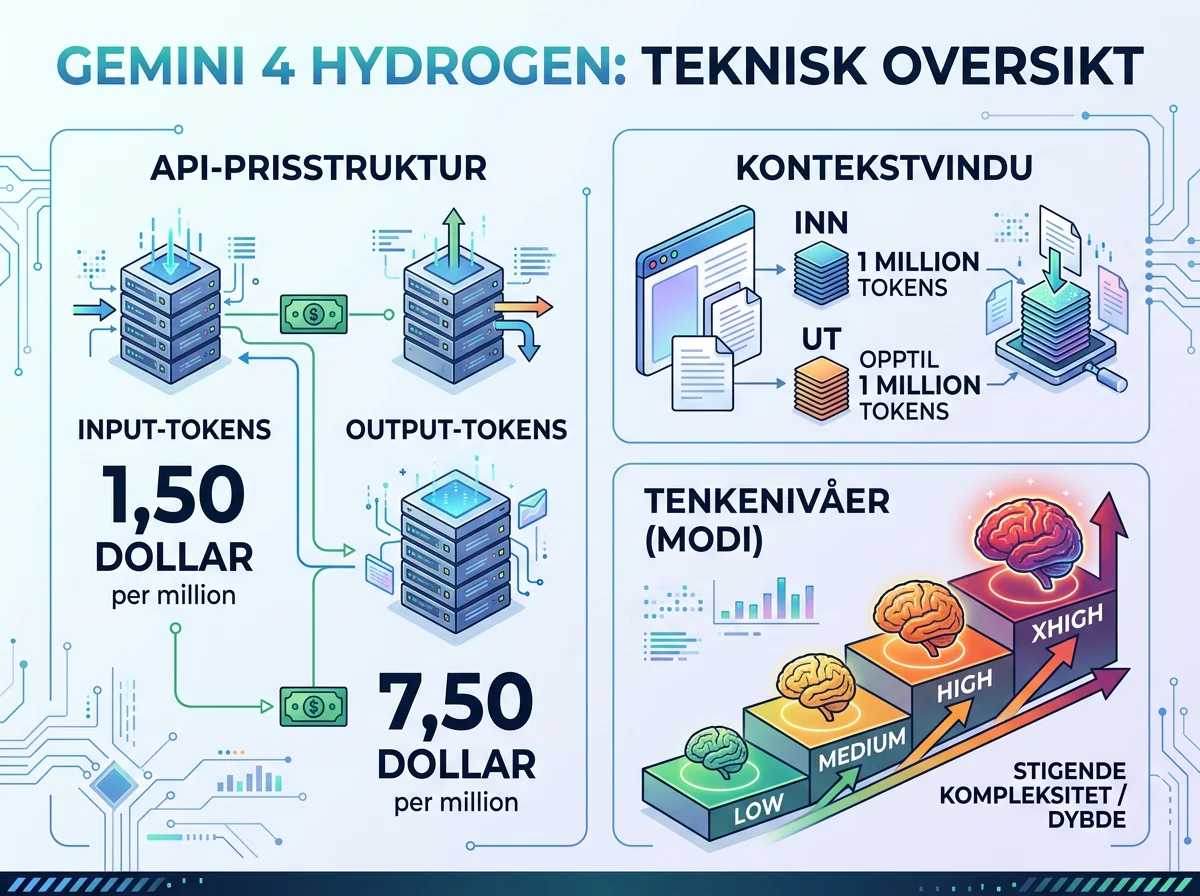
Gemini 4 Hydrogen costs $1.50 per million input tokens and $7.50 per million output tokens in the Gemini API. These are Google’s international list prices in US dollars. The company says the rate remains flat across the model’s entire 1 million-token context window, so there is no separate higher price when a request crosses a particular context threshold.
Flat pricing makes the budget easier to estimate for large codebases, document collections and agent jobs with extensive histories. It does not make long jobs automatically cheap. Output, repeated tool calls and retries still accumulate, and the Gemini 4 Hydrogen model card warns that higher thinking levels may use more tokens and can occasionally be slow or time out.
Price per million tokens is therefore only part of the calculation. The relevant number is the cost of a completed, verified task. A cheap model that needs five attempts can quickly become the expensive option, especially when a person has to inspect and repair the result after every run.
Four thinking levels control speed and depth
Hydrogen offers low, medium, high and xhigh thinking levels. High is the default, while xhigh is the new option for tasks where additional reasoning may justify extra latency and token use. The same model can therefore cover quick everyday execution and work that needs more passes before it answers.
Google reports a score of 51 on the Artificial Analysis Intelligence Index at high and 54 at xhigh, compared with 50 for Argon in the comparison it cites. That does not make Hydrogen a universally better frontier model than Argon. It shows why model selection can no longer be reduced to a single ranking.
The practical choice is straightforward. Start with the default setting when speed matters and increase the level only when the delivered work actually improves. If xhigh spends more time and tokens without reducing errors or human correction, you have paid for reasoning you did not need.
The context window is large in both directions
Hydrogen accepts text, images, audio and video in a combined context of up to 1 million tokens. Google says the model can work with dense PDFs, spreadsheets, charts, audio and recorded video, then produce cited reports and structured deliverables. Its model card lists a default synchronous output limit of 64,000 tokens and up to 1 million tokens through background long decode.
That extended output capacity is particularly relevant to agent work. A model can, in principle, continue a long job without hitting a narrow output ceiling. But 1 million tokens is capacity, not a quality seal. Nobody needs a novel-length terminal session when the model should have stopped after the third failed attempt.
Large context windows still require discipline. Give the model relevant material, explicit boundaries and verifiable goals. Dumping an entire file server into a prompt is not the same as providing good context, no matter how impressive the number on the specification sheet looks.
Where can you use Hydrogen?
Hydrogen is rolling out in Google AI Studio, the Gemini API, Android Studio, Gemini for business, the Gemini app, Google Search and Google Antigravity. It is also coming to Gemini in Google Sheets for eligible business subscriptions and Google AI Pro and Ultra subscribers. Free users receive access in the Gemini app through automatic model selection when Google considers Hydrogen suitable for the prompt.
For developers, AI Studio and the API are the most direct entry points. For ordinary users, the change may be less visible because Hydrogen also sits behind automatic model selection in the app and Search. Google claims better instruction following, more accurate tool selection and less back-and-forth in multi-turn conversations.
I have not tested Gemini 4 Hydrogen myself, so I am not going to pretend launch numbers settle how it performs in a real codebase. If you already use the Gemini API or Antigravity, give Hydrogen familiar tasks and measure completed results, elapsed time, total token use and how often you have to intervene. Compare it with the model you actually use today – not only with Google’s prettiest chart.
A workhorse can matter more than another flagship
Google has built Gemini into an enormous ecosystem, and Hydrogen is the model intended to make that ecosystem work faster and more cheaply. In daily use, that may matter more than moving one position on a benchmark table.
On paper, Google has found a useful combination: broad availability, an explicit agent role, four thinking levels, a large context window and pricing that makes Hydrogen a plausible worker in multi-agent systems. Antigravity’s ability to switch between Carbon and Hydrogen also points toward a world where model routing matters as much as the model name.
The role is right, but the performance verdict has to wait for Hydrogen to handle real work outside Google’s demonstrations. I do not need every new model to be the smartest thing in the universe. I need models that finish the job, use tools without nonsense and let me control both speed and cost. That is exactly the job Hydrogen is applying for.
Frequently asked questions
Can free users access Gemini 4 Hydrogen?
Yes. Google says free users can receive Hydrogen in the Gemini app through automatic model selection when it is suitable for the prompt. Developers pay for Gemini API usage, while some Antigravity and Google Sheets features require Google AI Pro, Ultra or an eligible business subscription.
Is Hydrogen better than Gemini 4 Argon?
Not for every task. Hydrogen is optimized for rapid execution, coding and agent workflows, while Argon and Carbon target deeper, long-horizon reasoning. Hydrogen may outperform Argon in individual evaluations and still be the weaker choice for difficult architectural judgment.
Does Hydrogen support 1 million output tokens?
Yes, but the delivery mode matters. Google’s model card lists up to 64,000 default synchronous output tokens and up to 1 million through background long decode. Very long agent runs can still become expensive as output, tool calls and retries add to total usage.
What should I measure when evaluating Hydrogen?
Measure whether the task is completed correctly, elapsed time, total token cost and how often you must correct or restart the run. For coding agents, also check tests, unwanted file changes and whether the model stops when it lacks access or essential information.