Innhold Show
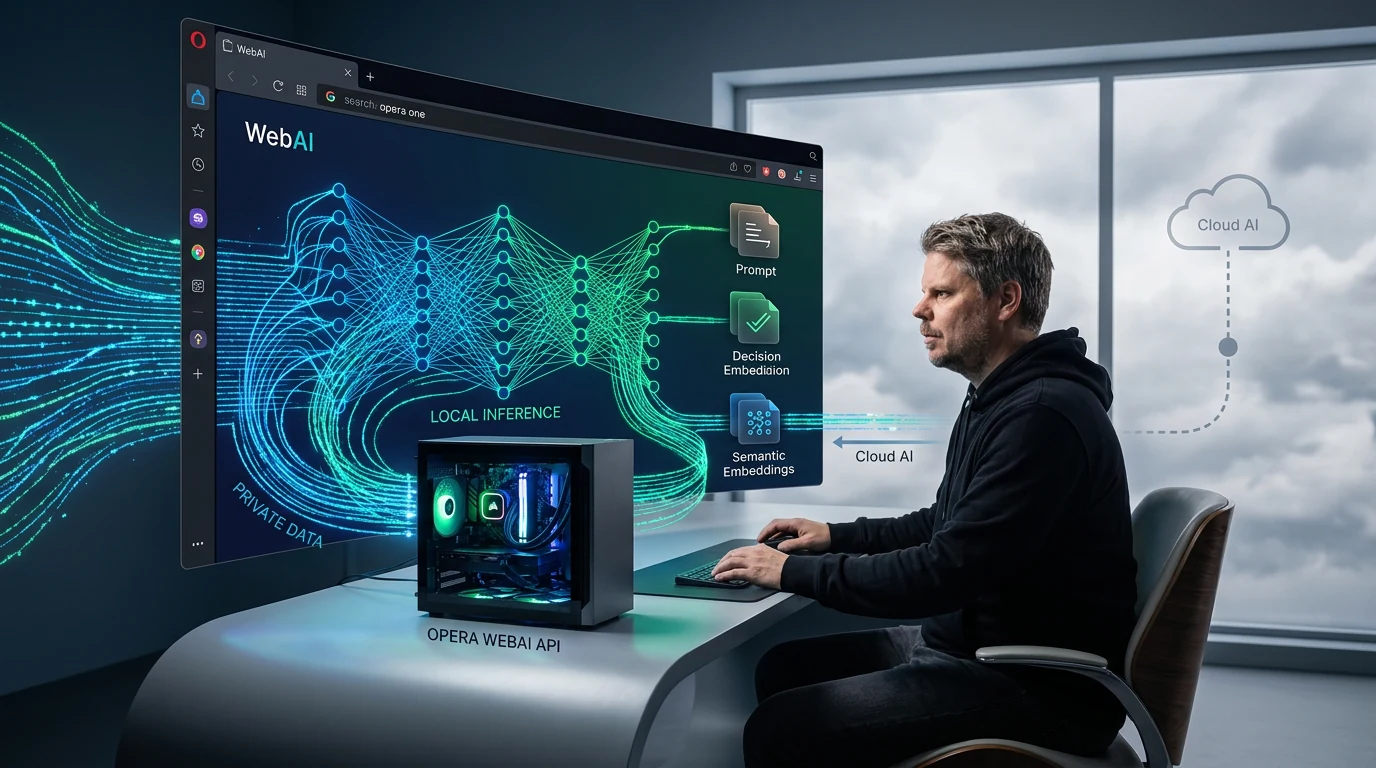
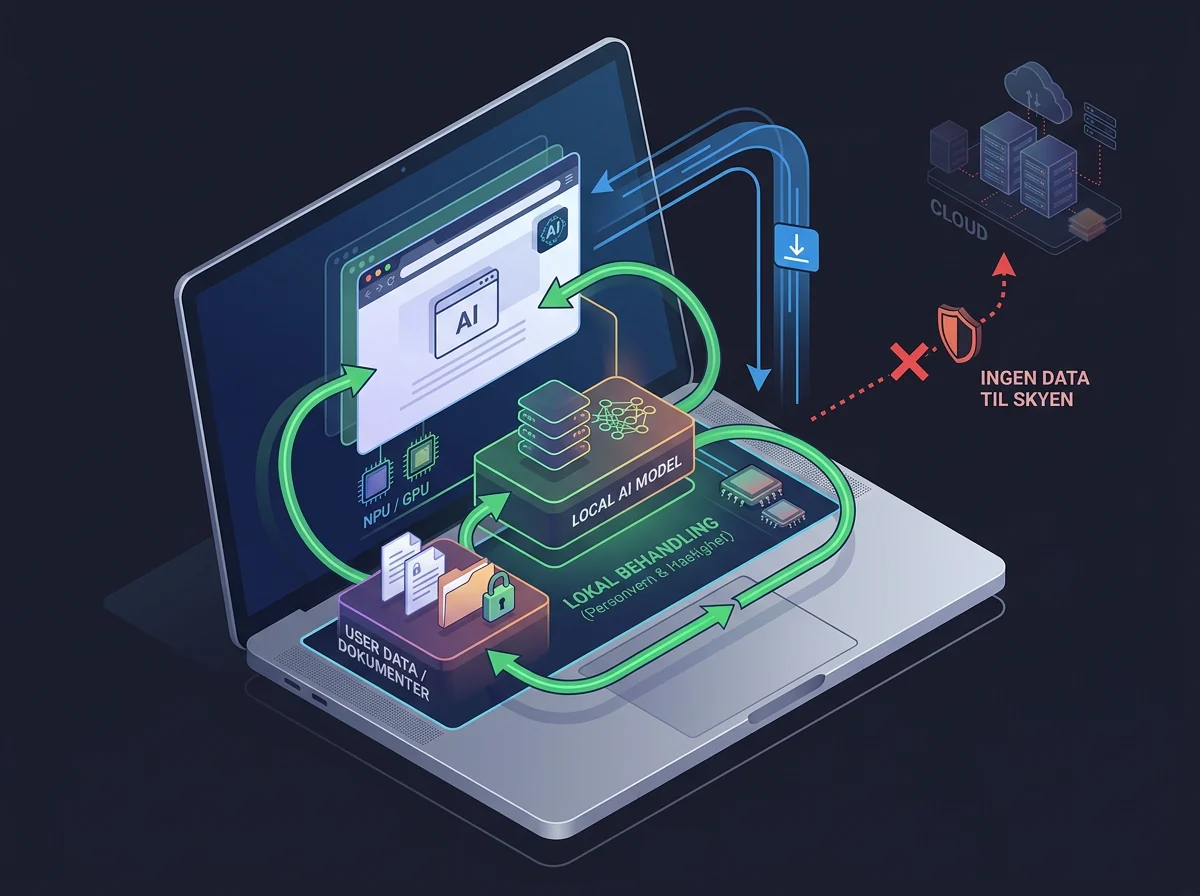
Opera WebAI lets websites and browser extensions use AI running locally on your computer. There is no separate local server to configure, no API key to obtain, and no need to send every prompt to a cloud service. This is exactly the direction I want to see more of.
Opera has started rolling WebAI out as an optional early preview in Opera One. The browser exposes local models through a common set of interfaces, allowing developers to build text generation, classification, and semantic search without operating their own AI infrastructure.
Cloud AI is not suddenly obsolete, and WebAI is not a finished standard that the entire web already supports. But the browser is beginning to take on a genuinely useful new role: It can become a local AI layer between the hardware, the model, and the website you are using. That is a much bigger improvement than gluing yet another chatbot to a sidebar.
What is Opera WebAI?
WebAI is a proposed web standard that allows websites and browser extensions to use AI models through the browser. Opera says the initiative is backed by companies including Google and Microsoft, while its own implementation is model-agnostic and built around open models.
In practice, a developer can ask the browser to perform an AI task without sending that request to the developer’s own API endpoint. Opera handles communication with a compatible model on the device. The company says WebAI can work with open-weight models supplied through Opera as well as compatible models already available on the computer.
This expands on work Opera began in 2024, when an experimental developer build gained access to local language models. The difference now is the ambition to make local inference a normal browser capability that websites and extensions can reach through standardized APIs. A model becomes far more useful when ordinary software can actually put it to work.
Why local AI in the browser matters
Local browser AI can give users more control over their data while removing recurring API costs for developers. Opera highlights extensions that can prioritize tabs, spot clickbait, find relevant job listings, or make saved material searchable without requiring an AI account, a separate subscription, or a trip to an external model for every request.
That matters because a great deal of everyday AI work does not need a data center at the other end. Classifying a page, producing a short summary, or searching through text can be small enough for a modern computer to handle locally. When the laptop can do the job, automatically shipping the content off the machine simply because that has become the default is hard to defend.
The economics are appealing for small development teams too. If the browser supplies the model and performs the inference, a developer avoids both server operations and per-request model charges. That could make an entire class of small, clever extensions viable. A useful idea would no longer need a miniature billing system and a cloud invoice trailing behind it.
Local models also offer a different kind of resilience. A feature does not necessarily depend on an external API responding, an account remaining active, or a subscription still being paid. More of the capability moves back to the machine the user actually owns.
Three APIs give developers the building blocks
The first WebAI release gives developers three core building blocks: the Prompt API for generating text, the Decision API for classifying information, and the Semantic Embeddings API for finding relationships between pieces of content. Opera’s technical introduction to WebAI therefore covers considerably more than a chat box.
The Prompt API can write, summarize, or rewrite text. The Decision API can determine which category a piece of content belongs to, while embeddings can find passages, notes, or pages that mean similar things even when they use different words. These are basic capabilities, and that is precisely why they matter: Developers can combine them in a great many ways.
Opera has built six experimental extensions to demonstrate that range. Project Lens highlights the parts of an article relevant to a project. Got It? creates a short quiz about the page you are reading. Semantic Art turns similarities between sentences into a moving visual map. RecordIn Alchemy transforms an article into deliberately unbearable motivational copy. A little nonsense is allowed when introducing a new API.
The point is not that everyone needs two ASCII cats improvising scenes in the browser, although Opera has built that demo too. The point is that the same local foundation can support search, filtering, learning, creative tools, and personal assistants. The developer builds the experience; the user supplies the computing power and can keep the content on the device.
Privacy improves, but it is not solved automatically
WebAI is opt-in. Opera says nothing is downloaded until the user enables it, and the feature can be turned off again. That is the right starting point. A website should not be able to seize a computer’s model and processing power in the background without a clear yes.
When processing happens locally, the content itself does not need to be sent to a cloud AI provider. That is a real privacy advantage for text you do not want to share with an external service. It also fits how I see local models: Material you legally hold on your own machine should be usable there without first being uploaded to somebody else’s cloud.
But “local” is not a magic security stamp. The site asking for access, the browser extension, the model file, and the data placed in front of that model all remain part of the attack surface. TechCrunch also notes that local processing does not remove every privacy risk.
My advice is simple: Give WebAI access only to sites and extensions you actually trust, and read what they are asking to process. Local execution is a clear improvement when the alternative is automatic uploading. It is not an excuse to click “Allow” on everything that flashes.
Which computers support WebAI?
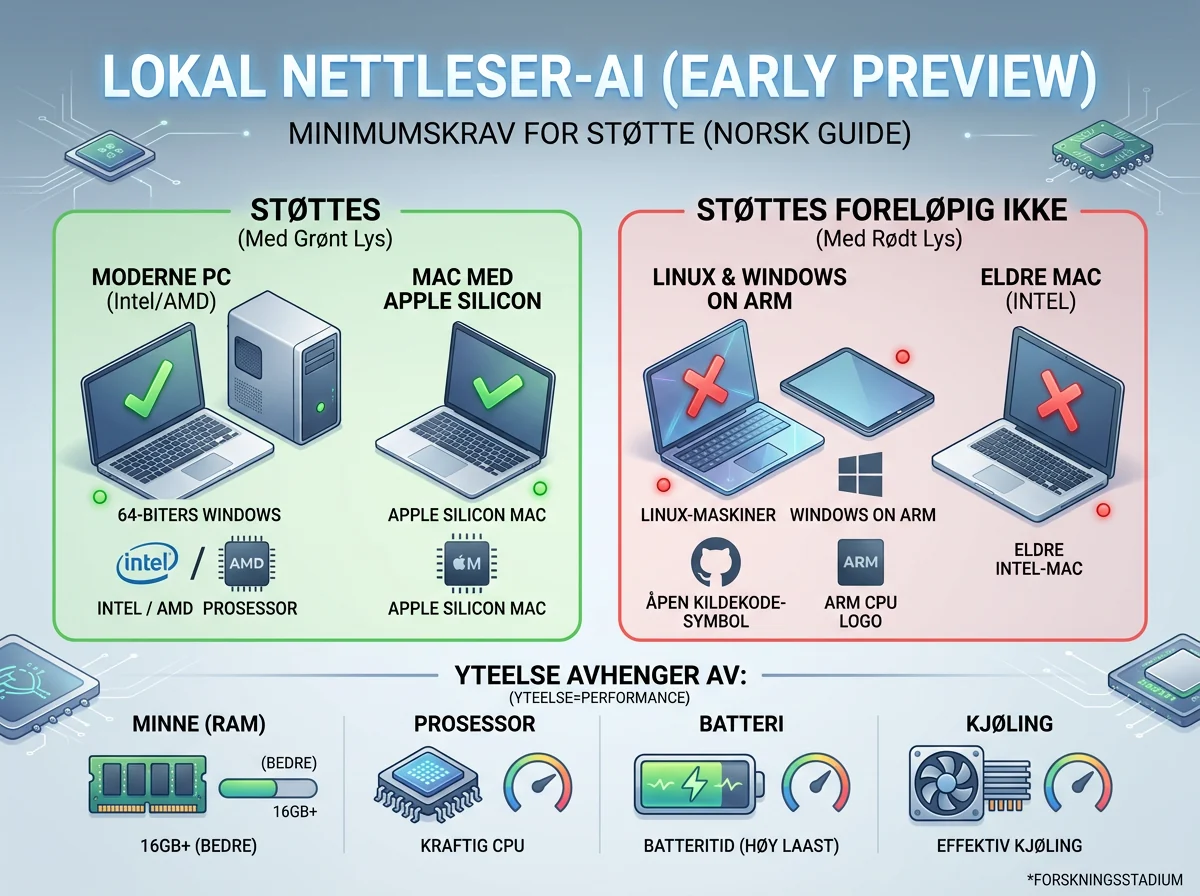
The WebAI early preview currently supports 64-bit Windows PCs with Intel or AMD processors and Macs with Apple silicon. Opera says it is not available on Linux, Windows on Arm, or Intel-based Macs. Performance will vary by hardware because the inference work happens on the device itself.
In Opera One, the feature can be enabled under Opera AI in Settings or by opening opera://settings/ai. Turning it on downloads a compatible local model, which Opera warns may take a few minutes. The user can then install one of the six example extensions and try the APIs on real web pages.
Opera’s newsroom announcement says the first features are available in Opera One, with Opera GX and Opera Neon to follow. Its more technical WebAI page describes the early preview across all three browsers. That points to a gradual rollout, so check the browser version and settings before assuming the feature is missing.
The hardware requirement is the most obvious limitation. A cloud service can offer similar model capacity to a modest laptop and a powerful workstation, while local AI must live within the memory, processor, battery, and cooling limits of the device. The freedom is not free. You pay with your own computing resources instead of a recurring API bill.
A proposed standard is not a finished standard
WebAI is described as a proposed web standard, not a finished W3C standard with broad support across every major browser. Support for the direction from Google and Microsoft is significant, but developers should not build a critical production service as though these APIs were already universal and frozen for the future.
That distinction also matters when Opera calls its implementation model-agnostic. The system is designed to work with multiple compatible models and providers, but a common interface cannot make every model produce the same answers at the same speed. The browser can standardize how a website requests a task. It cannot make different hardware and different models identical.
Developers should treat this release for what it is: a place to experiment, measure, and discover which local tasks work well enough today. Use proper feature detection, provide an honest fallback when WebAI is unavailable, and never promise cloud-free processing if the application silently falls back to an external API.
This is still how useful standards begin. Somebody has to ship a working implementation, let developers try it, and uncover all the awkward details. Opera is doing more good by putting WebAI into people’s hands now than it would by showing another polished concept video.
This is the browser AI I actually want
I am genuinely excited about WebAI because it moves control in the right direction. The model can run on the user’s computer, the data can stay there, and the developer can avoid demanding an account and a payment for every small AI request. That is concrete utility, not an AI button pasted onto an old product.
The real test comes when ordinary websites begin using these APIs. Permissions must be understandable, resource use must be visible, and the browser must make it easy to stop a greedy page. If Opera gets those parts right, WebAI could become a much more personal and private AI platform than the cloud-first default we have today.
For now, this is for curious users and developers with supported hardware. Turn it on, try the demos, and build small tools. Just keep the early-preview goggles firmly in place. WebAI is a promising foundation, not a finished house.
Frequently asked questions
Can Opera WebAI work without an internet connection?
The AI processing is designed to run locally without a round trip to a cloud model. The model must first be downloaded, and the website or extension may still need the internet for other functions. Local inference does not automatically make the entire service available offline.
Do I need an AI subscription to use WebAI?
Opera says users do not need a separate AI subscription for the local model, while developers avoid per-request cloud charges. Your computer supplies the processing power instead. A third-party website or extension may still charge for other parts of its service.
Does WebAI already work in Chrome, Edge, and Firefox?
No, not as a finished universal standard. WebAI is a proposed standard, and this early-preview implementation comes from Opera. Developers must check whether the APIs are available and provide a clear fallback for people using browsers without support.
Is local AI in Opera completely private?
No. Local processing can keep content away from an external AI provider, but it does not remove every risk. You still need to assess the website, extension, permissions, and data involved. Grant access only to services you trust, especially when the material is sensitive.