Innhold Show
Images 2.6 cuts the wait for AI images and can create animated GIFs directly from a prompt. OpenAI is bringing the new model to ChatGPT, Codex and the API at the same time, with a set of changes designed to make it faster to explore an idea, fix a specific detail and move the result into the next stage of production.
This is primarily a workflow upgrade. OpenAI claims 50 percent faster image generation, a fast API variant that can produce an image in about six seconds, and a new control for how much planning the model should apply to a request. Image markup, SVG export and animated GIF generation round out the release.
I find the combination more useful than any one feature in isolation. When generation, editing and export fit together properly, an AI image stops being a one-off result and becomes material you can continue working with. This is a launch report rather than my own test, however, so the speed and quality claims come from OpenAI.
What is Images 2.6?
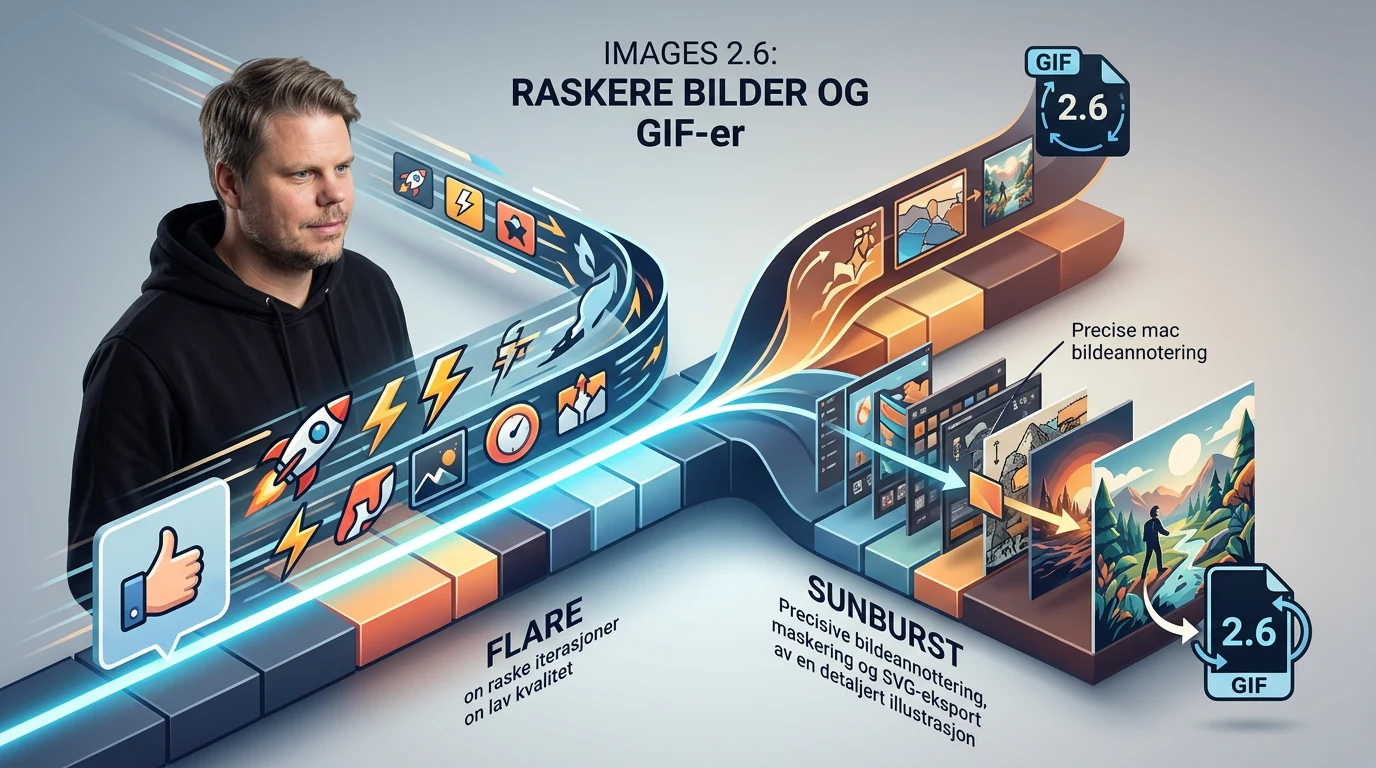
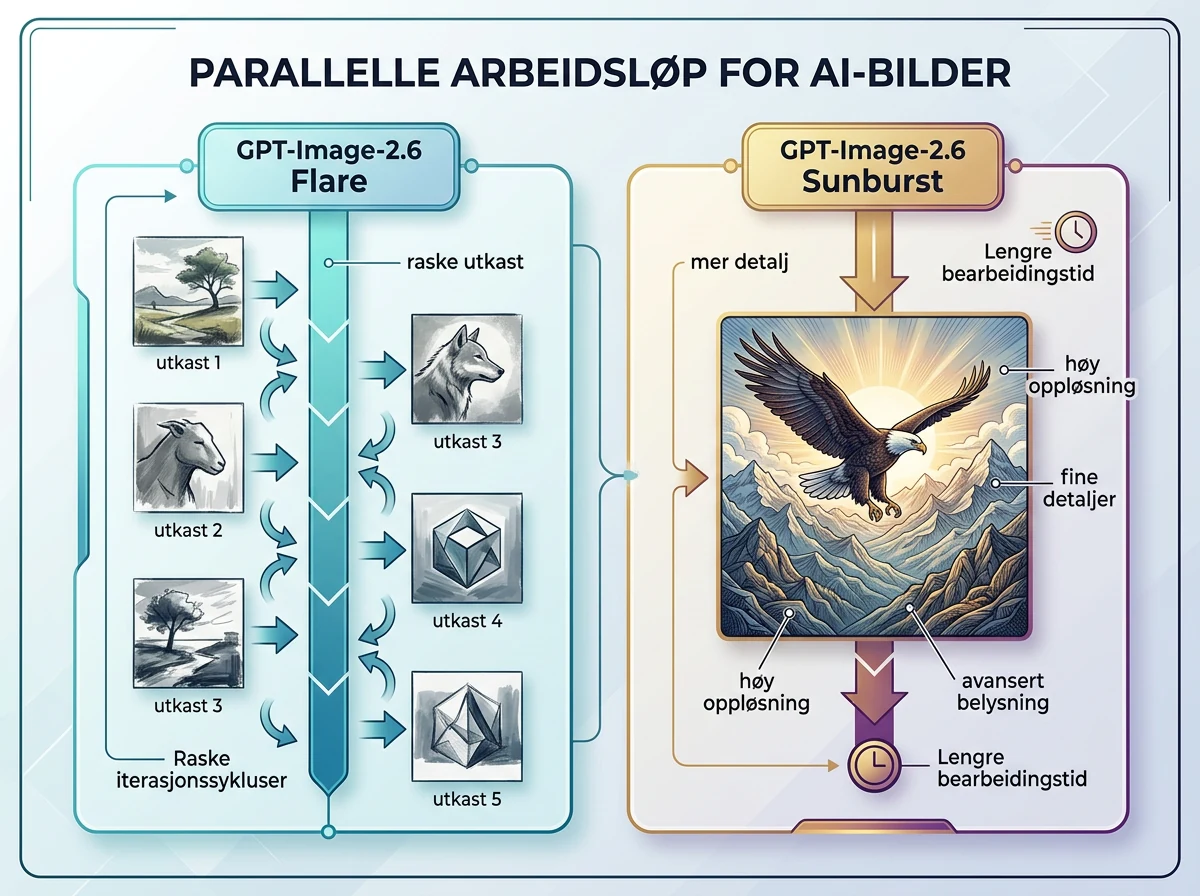
Images 2.6 is OpenAI’s new model for image generation and editing, launched on November 4, 2026. According to OpenAI’s official announcement, it is available globally in ChatGPT and Codex on desktop, mobile and the web. API users get two variants: GPT-Image-2.6 Flare and GPT-Image-2.6 Sunburst.
Flare is the fast option for rapid iterations. At the low quality setting, OpenAI says it can generate an image in as little as six seconds. Sunburst is intended for work where greater detail and more demanding editing rounds matter more than the shortest possible wait.
The release arrives at considerable scale. OpenAI says ChatGPT, Codex and the API now generate 4 billion images per week, or more than half a billion per day. At that volume, a claimed 50 percent reduction in generation time means much more than shaving a few seconds off a single prompt. It changes how quickly millions of people and automated workflows can move through ideas.
How much faster is image generation?
OpenAI says Images 2.6 generates images 50 percent faster than its predecessor. The most concrete figure is Flare at low quality, which can finish in roughly six seconds. That makes it the natural choice when you need several quick attempts before committing more time and resources to the final result.
That is where speed becomes genuinely useful. One six-second generation is pleasant. Ten attempts, three small corrections and a fresh composition without long pauses can change the rhythm of the entire job. A weak idea can be discarded immediately instead of forcing you to stare at a progress indicator and hope it improves near the end.
Sunburst takes the other role. OpenAI recommends it with medium or high quality when the job demands more detail and precision. API users therefore do not have to push every task through the same model configuration. Flare can handle drafts and small changes, while Sunburst can take the heavier final work.
What can Images 2.6 GIFs do?
Images 2.6 can create short animated GIFs from a prompt or a simple starting point. OpenAI highlights reactions, memes, product presentations, campaign material and animated storyboards as likely uses. The point is not to replace full video production. It is to create a small piece of motion that can be used and shared quickly.
For a business, that might be a moving mascot in a campaign, a product detail shown in a short loop, or several motion concepts developed before an expensive video production begins. For ordinary users, the threshold is even lower: a reaction or visual joke no longer requires setting up a video project first.
GIFs have obvious limits. The format works well for short, repeating motion and easy sharing, not long-form storytelling, good audio or the efficient delivery of modern video. If you need a complete scene with sound and deliberate camera movement, a proper video generator remains the right tool. Images 2.6 adds a useful lightweight output; it does not make video tools obsolete.
What is new for image editing?
Images 2.6 offers more precise ways to identify where a change should happen. Image markup, which has already been available in ChatGPT, is now coming to the API. A workflow can mark a specific region and request a local edit instead of trying to explain the location through increasingly awkward prose.
That may sound like a small detail, but it addresses a familiar source of wasted iterations. A model can understand what should change and still edit the wrong area, or alter the rest of the composition along with it. An explicit mark makes the instruction less ambiguous and should reduce avoidable rounds of correction.
SVG export is the other practical addition. Results can move into websites, applications and print workflows as scalable graphics. That does not make every generated image a finished design, but it creates a far better bridge into conventional design work than a flat raster file alone.
How do the new API controls work?
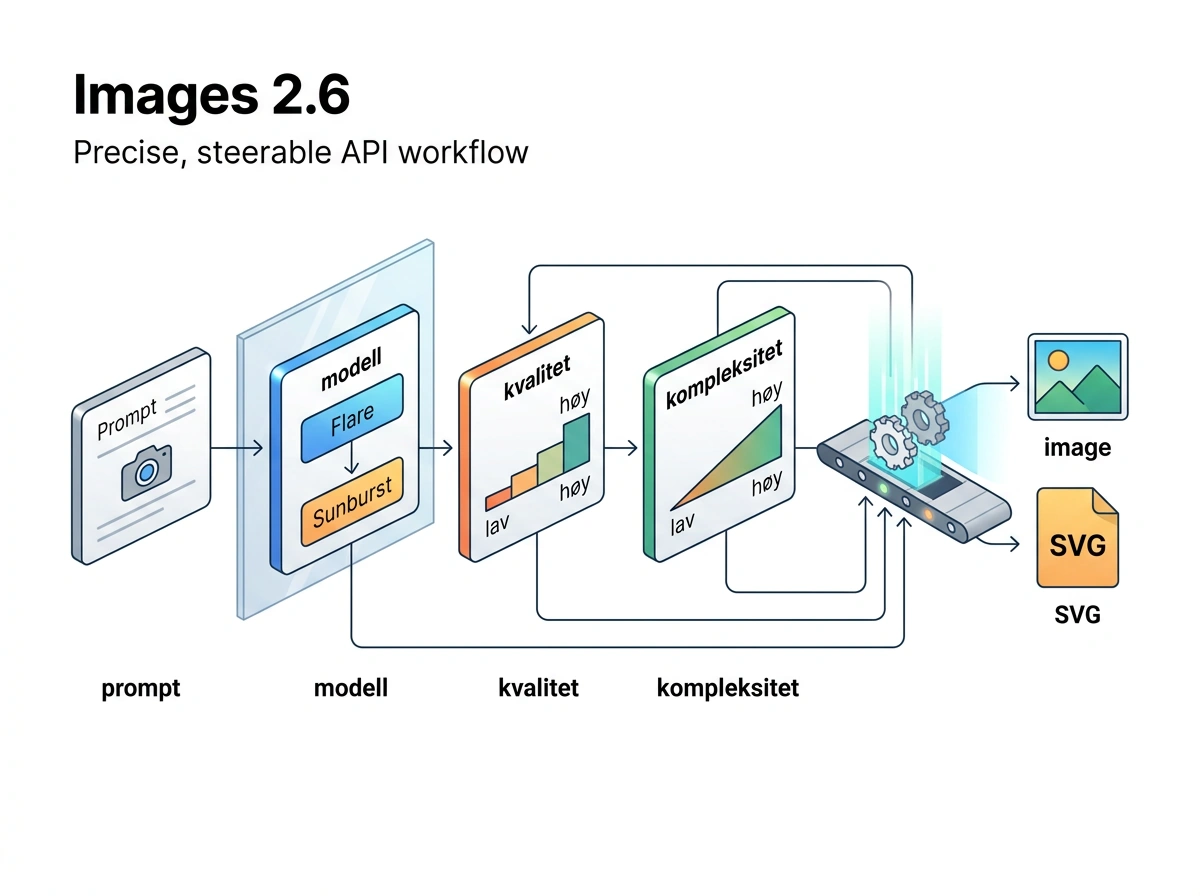
The API adds a complexity parameter that controls how much planning Images 2.6 applies to the request. Image quality remains a separate setting for the level of detail in the result. These are different decisions: complexity concerns how demanding the scene and instructions are, while quality controls how much work goes into rendering the image.
OpenAI recommends low complexity for most editing jobs because it returns results faster. Medium or high complexity makes more sense when a scene contains many elements, relationships or constraints that have to remain consistent. Starting low and increasing it only when the task requires more planning is the sensible approach.
Developers therefore get three clear levers: Flare or Sunburst, low through high image quality, and low through high complexity. A fast draft does not need the same configuration as a crowded final scene that must be exported and used elsewhere.
This should also make automation less clumsy. A workflow can use Flare with low complexity while searching for the right composition, then switch to Sunburst and higher settings only after the direction has been chosen. The heavier processing is spent on the few variants that move forward, not every idea that ends up in the bin. That difference can become substantial when the same process runs hundreds of times.
How much does Images 2.6 cost?
OpenAI says Images 2.6 is available in ChatGPT and Codex across all subscription tiers. The launch announcement does not state how many generations each tier includes, and it does not provide a separate fixed price for generating one image inside ChatGPT.
In the API, Flare and Sunburst are billed through image and text tokens. The official OpenAI API pricing page lists rates per 1 million tokens and provides a calculator for estimating image-generation costs. That is more honest and useful than pretending one token rate produces one universal price per image.
The final API cost varies with resolution, quality, input and output. Measure the cost per approved image or completed workflow, not merely the cost per call. A fast, inexpensive generation saves nothing if it has to be repeated five times, while a more expensive configuration can be cheaper overall if it succeeds on the first or second attempt.
A useful tracking sheet does not need to be complicated. Record the model variant, quality level, complexity, number of attempts, total time and final cost for the same type of task. After 20 or 30 deliveries, you will have a far better decision-making basis than two polished examples selected for a launch page.
Is Images 2.6 worth using?
Images 2.6 looks most useful for people who create many variants, edit through several rounds or need to carry results into design and development. The claimed 50 percent speed increase, local image markup, SVG export and adjustable complexity all attack friction in the workflow. GIF generation adds another deliverable without requiring a separate video tool for every small piece of motion.
I would not treat the launch figures as a finished verdict on quality. OpenAI has selected the examples and reported its own speed measurements. That does not automatically tell you how Flare and Sunburst will behave with your subjects, editing requirements and production volume. My previous GPT Images 2 testing cannot answer that question either, because it covered a different model.
The sensible starting point is simple: use Flare for quick ideas and small edits, choose Sunburst when detail matters more, and raise complexity only when the scene truly requires it. Track time, retries and total cost on the same task. If Images 2.6 produces fewer pauses and fewer failed rounds, OpenAI has delivered an upgrade that people will actually feel in their working day.
Frequently asked questions
Is Images 2.6 available worldwide?
Yes. OpenAI says Images 2.6 is available globally in ChatGPT and Codex on desktop, mobile and the web. It is offered across all subscription tiers, although the launch announcement does not specify how many image generations each tier includes.
What is the difference between Flare and Sunburst?
Flare is designed for rapid generation and editing, and OpenAI says it can deliver an image in about six seconds at low quality. Sunburst is intended for jobs where greater detail and more demanding editing matter more than the shortest possible wait.
Can Images 2.6 create animations?
Yes. Images 2.6 can generate short animated GIFs for reactions, memes, campaigns, product presentations and storyboards. For audio, longer scenes or sophisticated camera movement, you will still need a video generator rather than an image model producing a looping GIF.
Have I tested Images 2.6?
No. This article is a source-based assessment of OpenAI’s launch and documentation, not my hands-on test. The speed figures and descriptions of model quality are therefore OpenAI’s claims and should be checked against the tasks that matter in your workflow.