
Innhold Show
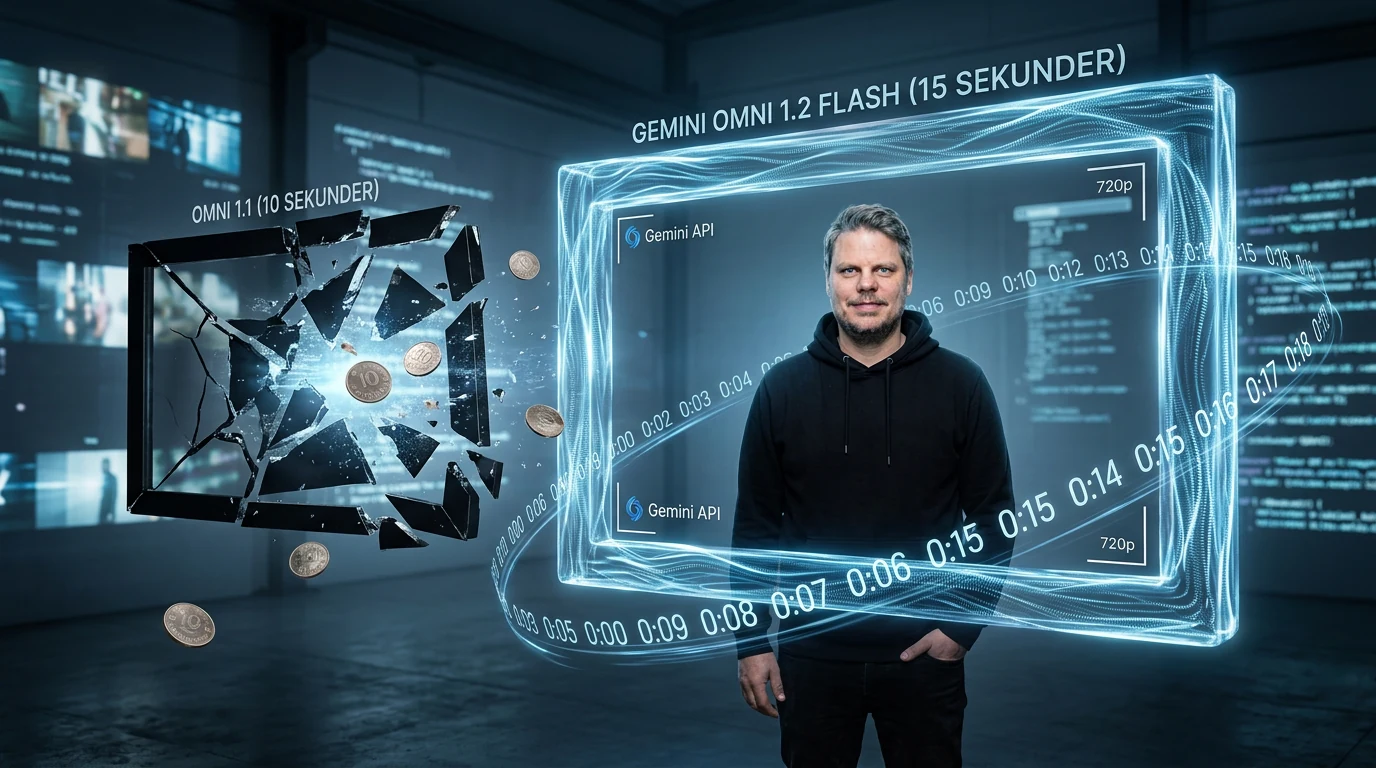
If you make AI video, Gemini Omni 1.2 Flash gives you up to 15 seconds in 720p for $1.05. Google has also cut the price by 30 percent and made it possible to refine the same clip through several rounds of plain-language instructions.
That is a genuinely useful update. Five extra seconds may not sound dramatic, but it can be the difference between a quick glimpse and a short, complete scene. More importantly, you can change the background, lighting, product, or format without throwing away the entire generation and starting over.
I think the combination of longer clips, lower pricing, and more targeted editing is the real win. A cheap generation is not cheap if one bad detail forces you to discard the whole thing. Gemini Omni 1.2 Flash is designed for a workflow where the first clip is a starting point, not a lottery ticket.
What is Gemini Omni 1.2 Flash?
Gemini Omni 1.2 Flash is Google’s model for generating and editing video from text, images, short video references, and audio inputs. The model became generally available on November 5, 2026, and can produce clips from 3 to 15 seconds, according to Google’s Gemini Omni 1.2 Flash announcement.
You can choose the duration in one-second increments. That is more flexible than a system that locks every generation to five or ten seconds. A simple product shot can end after six seconds, while a short ad or explanation can use the full 15.
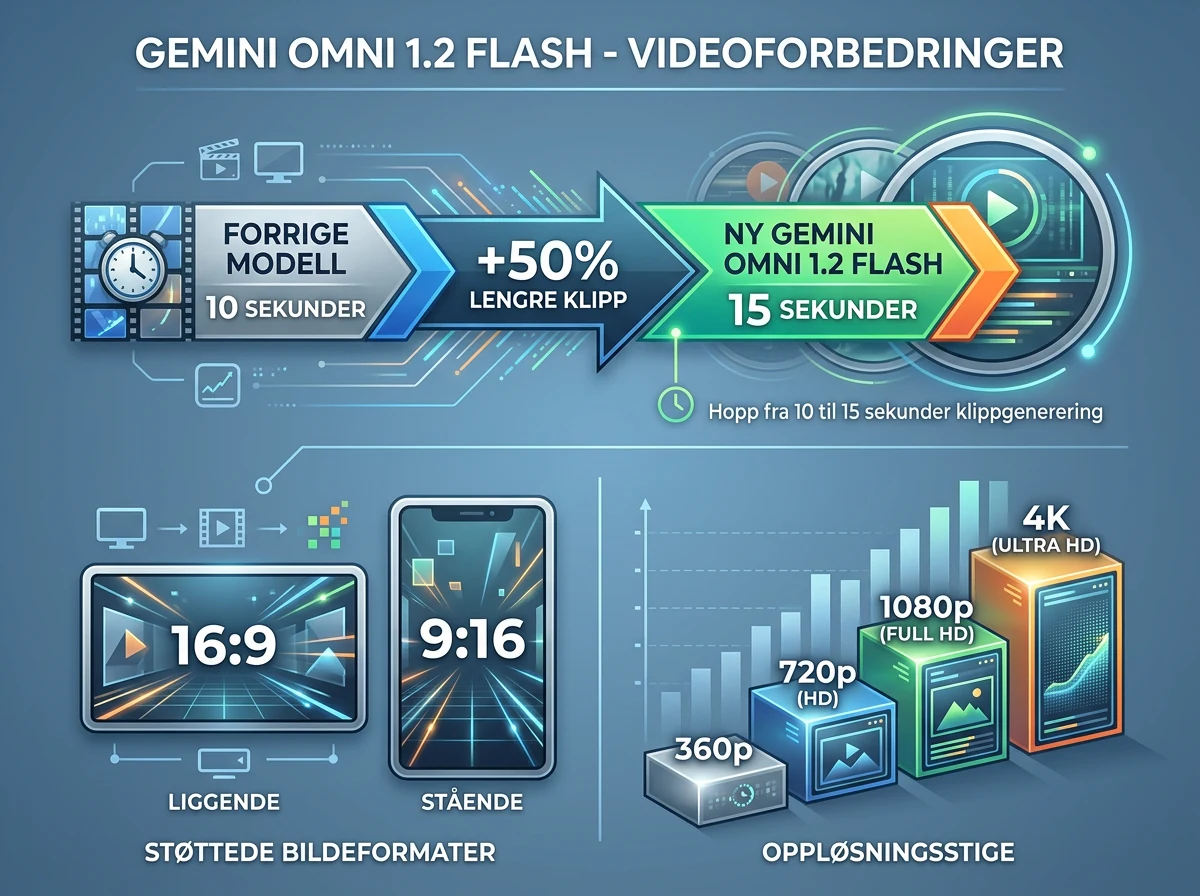
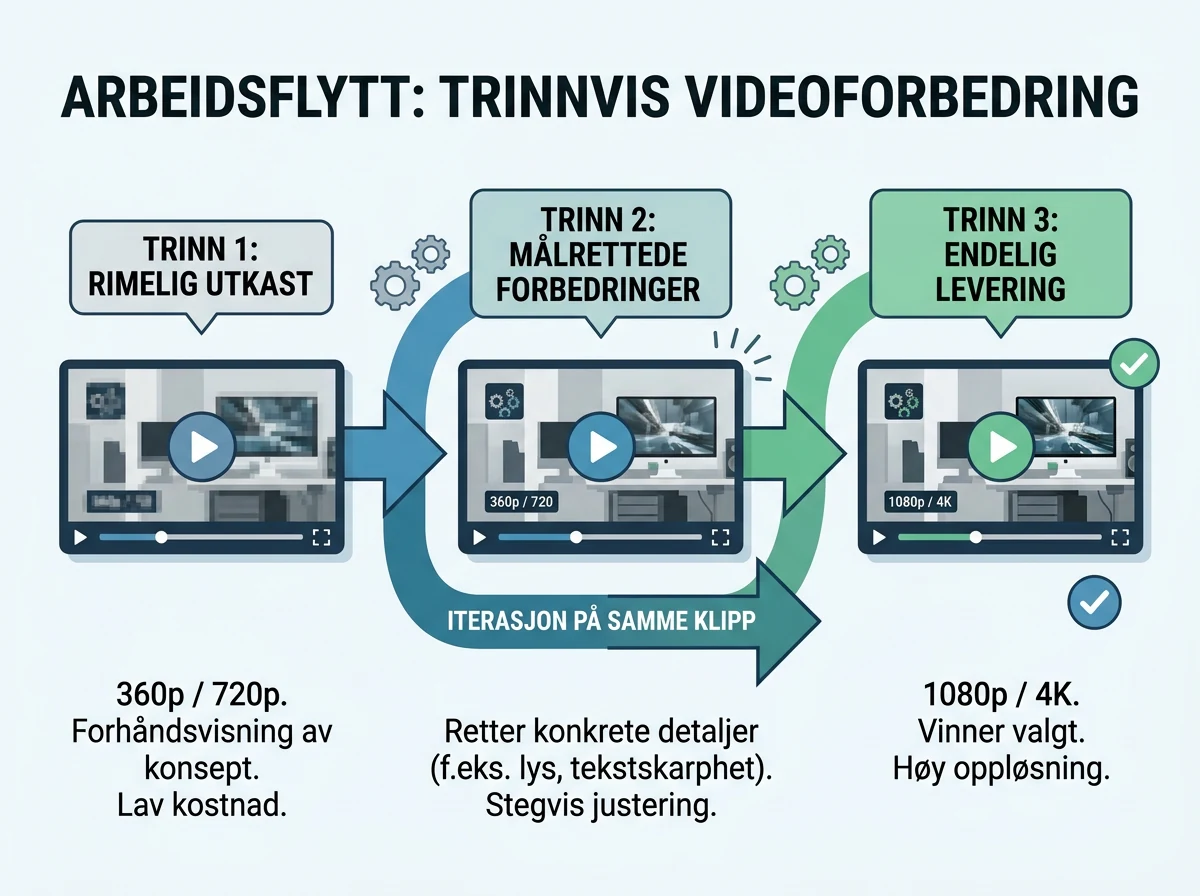
The API model name is gemini-omni-1.2-flash. The official documentation lists support for both 16:9 landscape and 9:16 vertical video, with 720p as the default. You can work at 360p or 720p and deliver at up to 1080p or 4K. That supports a sensible production process: make quick, inexpensive drafts first, then spend more only on the clips that actually work.
Fifteen seconds is more than a spec-sheet upgrade
Omni 1.1 stopped at 10 seconds, while the new model reaches 15. That is 50 percent more screen time in a single generation. It gives you room for an opening, an action, and an ending without stitching several fragments together just to make one basic scene feel coherent.
For a product video, that might mean one continuous presentation with several angles. For social media, it can be a finished vertical clip. For a short explanation, there is time for both the setup and the point. This is still short-form video, but 15 seconds is a much more useful building block than 8 or 10.
Google also claims better consistency from the first frame to the last, fewer unwanted jumps in camera movement, and improved use of references. That sounds promising, but these remain Google’s claims and selected demonstrations. I have not run my own side-by-side test of Omni 1.2, and I will not pretend a launch demo proves how the model behaves across every kind of material.
How much does Gemini Omni 1.2 Flash cost?
Gemini Omni 1.2 Flash costs $0.07 per second for 720p video. A 10-second clip therefore costs $0.70, while the full 15 seconds costs $1.05. Google says that is 30 percent less than Omni 1.1 Flash.
That is a meaningful cut when you produce many variations, but the price of one clip does not tell the whole story. Five attempts at a 15-second sequence cost $5.25 in 720p before any charges for higher resolution, additional inputs, or later processing. AI video gets expensive through repetition, not because one click looks terrifying on an invoice.
This is why the editing workflow matters at least as much as the headline price cut. If a follow-up instruction can fix one detail without rebuilding the entire scene, the practical saving may exceed 30 percent. The smart approach is still to draft at a lower resolution, correct the direction, and upscale only the results you intend to use.
You can edit the clip as a conversation
Multi-turn editing lets you keep working on the same video with new instructions. Google shows examples where the background changes several times while the characters, movement, and framing remain in place. You can also ask for different lighting, weather, products, or aspect ratios without rewriting the whole request.
According to Google’s video generation documentation, a stateful interaction can be retrieved and continued, while stored and asynchronous interactions remain available for up to seven days. That makes a clip something you can develop over several steps instead of treating every prompt as a fresh roll of the dice.
This should not be confused with conventional video editing, where you control every clip, layer, and keyframe precisely. You are still asking a generative model to interpret the requested change. Even so, the process is much closer to creative editing than pressing Generate again and hoping everything except the broken detail happens to stay the same.
References and resolution make the workflow more practical
Omni 1.2 Flash can use images of characters, products, or visual styles, short motion clips of up to three seconds, and audio cues as references. Google says the model follows those references more reliably across camera angles and transitions. For a business, that is especially relevant when a product or visual style must not change halfway through the shot.
The most sensible workflow is simple. Begin at 360p or 720p, find movement and composition that work, use follow-up instructions to fix specific problems, and only then move to 1080p or 4K. There is no reason to use the most expensive delivery format as a sketchbook.
Google also lists support for first and last frames, video extension, and existing video as an input. Those controls offer more ways to pin down the direction than a text prompt alone. You should still expect fast movement, abrupt changes in action, and complicated physics to cause trouble. Google itself identifies those areas as unfinished work.
Treat speech and lip sync claims with caution
Google says Omni 1.2 Flash provides more natural dialogue, clearer lip sync, and better separation between multiple speakers. Its launch examples include animated and realistic scenes using voice references, and the company presents these results as an improvement over the previous version.
That does not document how well the model handles Norwegian pronunciation, Norwegian dialects, or a particular person’s voice. I have not performed a listening test of this model version either. The honest conclusion is that speech is a promised improvement, while Norwegian performance remains unknown on the evidence available.
The distinction matters. Good lip sync in an English demonstration is not evidence of correct Norwegian speech, and a model that generates a convincing voice has not necessarily preserved the voice it was given. Use the speech features where they fit, but do not build a production plan around Norwegian voice quality until that exact capability has been tested with this version.
Where can you use Gemini Omni 1.2 Flash?
Gemini Omni 1.2 Flash is generally available to developers through the Gemini API and Google Cloud. It is also listed on OpenRouter as google/gemini-omni-1.2-flash, where video uses OpenRouter’s Video Generation API. Google is also rolling the model out across Flow, Google Ads, the Gemini app for Google AI Ultra subscribers, and Google Vids.
In Vids, people with a Google account or Workspace subscription can create up to three 15-second videos each month at no additional charge, according to Google’s Vids announcement. That is the easiest entry point for an ordinary user. For developers and businesses, general API availability is the bigger change because the model is no longer limited to a preview.
Google Cloud also offers reserved capacity for production, and generated videos receive SynthID watermarking that is not meant to be visible in the image. You do not need to move every video task to one model, though. The best and cheapest AI video workflow often comes from choosing a model for each clip and using Omni 1.2 where references, conversational editing, and 15 continuous seconds provide a real advantage.
My assessment
Gemini Omni 1.2 Flash is a solid step in the right direction. Fifteen seconds makes the model more useful, and $0.07 per second for 720p is low enough for ongoing production without turning every attempt into a budget meeting.
Conversational editing may still deliver the biggest saving. If the model can correct what is wrong while preserving everything else, it reduces cost, waiting, and irritation. That is far more valuable than another dazzling demo that falls apart the moment you ask for version two.
My advice is simple: work cheaply while drafting, make small and targeted changes, and reserve high resolution for the winners. Treat 15 seconds as a better building block, not a promise that the whole job is now automatic. And keep Google’s claims about consistency and speech separate from what has actually been demonstrated in your own production.
Frequently asked questions
What does a 15-second Gemini Omni 1.2 Flash video cost?
A 15-second clip in 720p costs $1.05 at Google’s rate of $0.07 per second. Multiple generations, higher-resolution delivery, extra inputs, and further processing can increase the total production cost.
Can Gemini Omni 1.2 Flash create vertical video?
Yes. The model supports both 16:9 and 9:16 aspect ratios, covering landscape video and vertical clips for mobile platforms. The standard resolution is 720p, while the documentation also lists 360p, 1080p, and 4K.
Can I use Gemini Omni 1.2 Flash without paying extra?
Google Vids lets eligible Google account and Workspace users create up to three 15-second videos per month at no additional charge. Usage through the Gemini API and Google Cloud is metered, including the $0.07-per-second price for 720p.
Does Gemini Omni 1.2 Flash handle Norwegian speech well?
The checked sources do not establish that. Google promises more natural dialogue and clearer lip sync, but there is no relevant Norwegian test of Omni 1.2 Flash covering pronunciation, dialects, or preservation of a particular speaker’s voice.